We Use CookiesWe use cookies to enhance the security, performance, functionality and for analytical and promotional activities. By continuing to browse this site you are agreeing to our privacy policy

10 Best Large Format Canvas Printers 2026 in the United States
How do we rank products for you?

Our technology thoroughly searches through the online shopping world, reviewing hundreds of sites. We then process and analyze this information, updating in real-time to bring you the latest top-rated products. This way, you always get the best and most current options available.

headphones-stars

Our Top Picks

#1

Winner

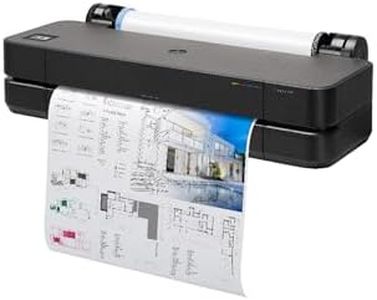
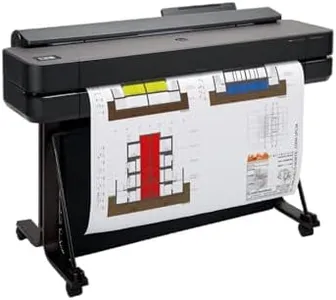
HP DesignJet T650 Large Format 36-inch Plotter Printer, Includes 2-Year Onsite Warranty Support (5HB10T) - New Model

Rating
10.0
Chosen by1,378
Maintenance and Support

Most important from
21 reviews

Maintenance and Support
Customer support responsiveness is crucial to resolving unexpected issues quickly.

The HP DesignJet T650 is a large-format printer designed mainly for professionals like architects, engineers, and graphic designers who need high-quality, precise prints such as technical drawings, posters, and maps. It supports wide media sizes up to 36 inches on rolls and sheets up to 13x19 inches, with convenient automatic switching between sheet and roll printing, plus an automatic cutter—making it flexible and easy to use. The print resolution of 2400 x 1200 dpi ensures sharp, detailed output suitable for line-drawings and colorful graphics. Its print speed is reasonable, producing about 82 A1-sized prints per hour, which balances quality and efficiency well for small to medium volume projects.

The printer uses HP 712 pigment and dye-based ink cartridges, offering good color range and durability, which is important for professional prints. Connectivity options are strong, including Ethernet, USB, and Wi-Fi, allowing printing from various devices and remote management via the HP Smart app. A standout feature is the 2-year onsite warranty with next-business-day support that helps reduce downtime and maintenance worries. The included HP Click software simplifies printing by offering PDF error checking and auto-nesting to save ink and paper.

Weighing over 120 pounds and being relatively large, the printer might limit placement options. Although the print speed is decent, faster printers exist for users prioritizing high-volume output. It only supports print-only functions, so no scanning or copying. This model suits professionals who require reliable, high-quality large-format prints with simple operation and good support, while it may be less ideal for those needing ultra-fast output or multifunction capabilities.

Rating
10.0
Chosen by1,378
Maintenance and Support

Most important from
21 reviews

Maintenance and Support
Customer support responsiveness is crucial to resolving unexpected issues quickly.
#2

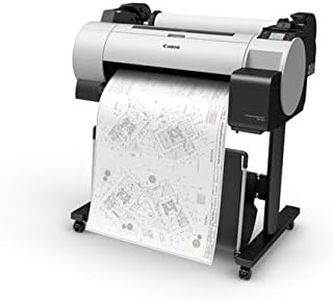
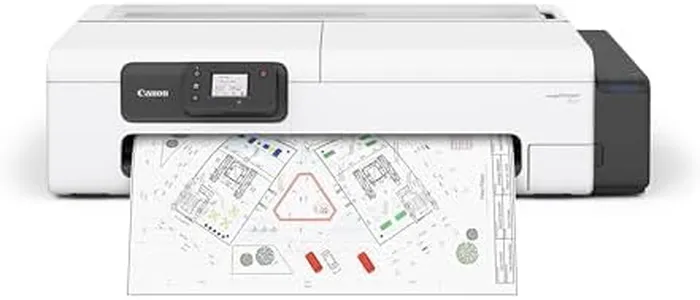
Canon imagePROGRAF TC-21 24" - Large Format Printer, Poster & Plotter Printer, Automatic Roll & Cut Sheet Paper Feeder, Includes 280 ml of Ink, White

Rating
8.2
Print Resolution
Print Speed
Ink Type

Most important from
68 reviews

Print Resolution
Print quality surpasses previous Canon models, delivering vibrant colors that closely match on-screen visuals, enhancing detailed art reproduction.
Print Speed
Print speeds are slightly slower than some older models but remain practical for moderate output needs.
Ink Type
Ink loading is simple and efficient, and the included ink volume supports substantial initial printing without frequent refills.
Media Handling
The printer handles roll paper well and produces crisp lines, making it a solid value for entry-level large-format printing.
Maintenance and Support
Driver software limits native support for common US architectural paper sizes like 12x18 inches, causing frustrating workarounds and unprintable margins.

The Canon imagePROGRAF TC-21 is a solid choice for those needing a large-format printer capable of handling up to 24-inch wide canvases and various media types like roll and cut sheets. It uses a 4-color ink system that delivers sharp text and vibrant images, making it suitable for posters and detailed graphics. One standout feature is that it comes with 280 ml of ink upfront, allowing printing to start immediately without frequent refills. The printer supports a decent print speed—up to 20 pages per minute in black and 15 in color—which is helpful for moderate output without long waits.

It offers flexible media handling with an automatic sheet feeder and can accommodate sheets up to 11 x 17 inches, covering many large-format needs but not the very largest canvases. Connectivity is versatile, with wired USB and Ethernet options plus built-in Wi-Fi for wireless printing from various devices, adding convenience. Setup and maintenance are user-friendly thanks to a tiltable touchscreen and easy access to ink tanks and paper rolls, helping reduce downtime and hassle.

The print resolution details are not highlighted here, which may influence decisions depending on the level of detail required. Energy efficiency is supported with Energy Star and EPEAT Gold ratings. The maximum media size and color range may limit use for professional artists or photographers seeking the richest possible color gamut or larger prints. This printer is well suited for small to medium-sized businesses or creative professionals who want reliable, high-quality large prints with good ease of use and connectivity, though it might not meet needs for ultra-large or extremely high-end color output.

Rating
8.2
Print Resolution
Print Speed
Ink Type

Most important from
68 reviews

Print Resolution
Print quality surpasses previous Canon models, delivering vibrant colors that closely match on-screen visuals, enhancing detailed art reproduction.
Print Speed
Print speeds are slightly slower than some older models but remain practical for moderate output needs.
Ink Type
Ink loading is simple and efficient, and the included ink volume supports substantial initial printing without frequent refills.
Media Handling
The printer handles roll paper well and produces crisp lines, making it a solid value for entry-level large-format printing.
Maintenance and Support
Driver software limits native support for common US architectural paper sizes like 12x18 inches, causing frustrating workarounds and unprintable margins.
#3

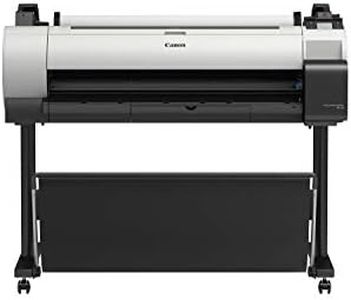
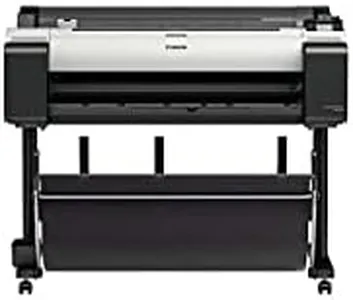
Canon imagePROGRAF TA-30 with stand 36” Large Format Inkjet Printer

Rating
8.2
Print Resolution
Ink Type
Media Handling

Most important from
71 reviews

Print Resolution
Produces great quality prints.
Ink Type
Ink is extremely expensive and cartridges hold a small amount of ink compared to other plotters.
Media Handling
Great for printing off plans to scale with clear and accurate color.
Maintenance and Support
Used it for 13 months before it died; consider alternatives with longer warranties.

The Canon imagePROGRAF TA-30 is a 36-inch large-format inkjet printer designed for high-volume, high-quality printing tasks. One of its standout strengths is its impressive print speed, capable of producing 113 24x36 posters per hour. Additionally, it offers wireless printing, which adds convenience for those who prefer a cable-free setup. The package includes over $250 worth of ink, which is a great value for those looking to save on initial running costs.

Its wide media handling capacity, accommodating paper roll sizes from 8 to 36 inches, is ideal for varied printing needs, from banners to posters. The printer also comes with free poster creation software, simplifying the design process for users. In terms of connectivity, it supports both Wi-Fi and USB, offering flexibility in how it can be used within different office setups.

However, there are some drawbacks to consider. The printer is quite large and heavy, with dimensions of 36 x 113 x 24 inches and a weight of 181.2 pounds, which may make it challenging to fit into smaller office spaces. Its power consumption is relatively high at 52 watts, and it only supports manual duplex printing, which could be a limitation for users who need automatic double-sided printing. The print resolution of 2400 x 1200 dpi is good but not the highest available in the market, which might be a consideration for those needing ultra-high-resolution prints. The Canon imagePROGRAF TA-30 is well-suited for businesses and offices that require a reliable and fast large-format printer with flexible media handling capabilities, despite its size and manual duplex limitations.

Rating
8.2
Print Resolution
Ink Type
Media Handling

Most important from
71 reviews

Print Resolution
Produces great quality prints.
Ink Type
Ink is extremely expensive and cartridges hold a small amount of ink compared to other plotters.
Media Handling
Great for printing off plans to scale with clear and accurate color.
Maintenance and Support
Used it for 13 months before it died; consider alternatives with longer warranties.

Buying Guide for the Best Large Format Canvas Printers

Choosing the right large-format canvas printer can be a daunting task, but with the right knowledge, you can find the perfect fit for your needs. Large-format canvas printers are essential for producing high-quality prints for art, photography, and professional displays. When selecting a printer, consider the key specifications that will impact the quality, efficiency, and cost-effectiveness of your prints. Understanding these specs will help you make an informed decision that aligns with your specific requirements.
Print ResolutionPrint resolution, measured in dots per inch (DPI), determines the level of detail and clarity in your prints. Higher DPI values mean finer detail and sharper images. For professional art and photography, a resolution of 1200 DPI or higher is recommended to ensure high-quality prints. For less detailed work, such as banners or posters, a lower resolution around 600 DPI may suffice. Consider the type of work you will be producing to choose the appropriate resolution.
Print SpeedPrint speed, usually measured in square feet per hour (sq ft/hr) or pages per minute (ppm), indicates how quickly a printer can produce prints. Faster print speeds are beneficial for high-volume production environments where time is critical. However, higher speeds can sometimes compromise print quality. If you need to produce large quantities quickly, look for a printer with a higher print speed. For detailed, high-quality prints, a slower speed may be acceptable.
Ink TypeThe type of ink used in a printer affects the durability, color accuracy, and overall quality of the prints. Common ink types include dye-based, pigment-based, and eco-solvent inks. Dye-based inks offer vibrant colors but may fade over time. Pigment-based inks are more durable and resistant to fading, making them ideal for archival-quality prints. Eco-solvent inks are suitable for outdoor use due to their weather-resistant properties. Choose the ink type based on the intended use of your prints.
Media HandlingMedia handling refers to the types and sizes of media that a printer can accommodate. Large-format canvas printers should support various media types, including canvas, vinyl, and paper, as well as different widths and thicknesses. Ensure the printer you choose can handle the specific media you plan to use. For versatility, look for a printer with adjustable media handling capabilities to accommodate a wide range of projects.
Color GamutColor gamut refers to the range of colors a printer can reproduce. A wider color gamut allows for more accurate and vibrant color reproduction, which is crucial for high-quality art and photography prints. Printers with additional color cartridges, such as light cyan and light magenta, can produce a broader color range. If color accuracy is important for your work, opt for a printer with an extensive color gamut.
Connectivity OptionsConnectivity options determine how you can connect your printer to your computer or network. Common options include USB, Ethernet, and wireless connections. USB connections are straightforward and reliable for direct connections. Ethernet allows for networked printing, which is useful in shared work environments. Wireless connectivity offers flexibility and convenience, especially in spaces where cables are impractical. Choose a printer with connectivity options that match your workflow and setup.
Maintenance and SupportMaintenance and support are important considerations for ensuring the longevity and reliability of your printer. Look for printers with user-friendly maintenance features, such as self-cleaning printheads and easy-to-replace ink cartridges. Additionally, consider the availability of customer support and warranty options. Reliable support can save you time and money in the long run, especially if you encounter technical issues. Choose a printer from a reputable brand with good customer service and support options.

FAQ