We Use CookiesWe use cookies to enhance the security, performance, functionality and for analytical and promotional activities. By continuing to browse this site you are agreeing to our privacy policy

10 Best Desktop Computers 2026 in the United States
How do we rank products for you?

Our technology thoroughly searches through the online shopping world, reviewing hundreds of sites. We then process and analyze this information, updating in real-time to bring you the latest top-rated products. This way, you always get the best and most current options available.

headphones-stars

Our Top Picks

#1

Winner

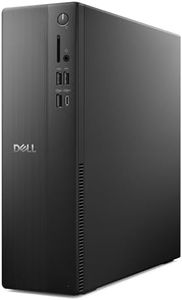
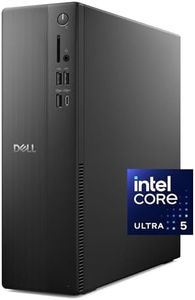
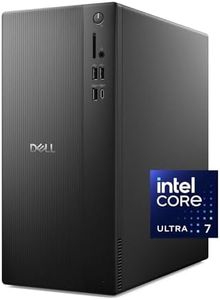
Dell Tower Desktop ECT1250 - Intel Core Ultra 7-265 Processor, Intel UHD Graphics, 32GB Memory, 1TB M.2 SSD, 3.0 SD Card Reader, Dell Wired Keyboard and Mouse, Windows 11 Home, Basic Onsite Service

Rating
10.0
Chosen by1,103
Storage (HDD/SSD)
Graphics (GPU)
Form Factor

Most important from
300 reviews

Storage (HDD/SSD)
Storage capacity is generous, providing plenty of room for files and programs without compromise.
Graphics (GPU)
Performance is lightning fast, with brilliant and clear graphics that enhance everyday computing experiences.
Form Factor
The compact size surprises with its power, delivering excellent value without taking up much space.

The Dell Tower Desktop ECT1250 is a strong choice for business, education, or multimedia needs. It comes equipped with the Intel Core Ultra 7-265 processor running at 2.4 GHz, which offers solid performance for everyday tasks and some demanding applications thanks to its 20 processing threads and built-in AI features. The 32GB of DDR5 RAM at 5600 MT/s is quite generous, ensuring smooth multitasking and responsiveness even with heavy workloads. Storage-wise, the 1TB M.2 SSD provides fast boot times and ample space for files and programs, making it a significant upgrade over traditional hard drives. The graphics rely on integrated Intel UHD Graphics, which handle basic graphics tasks and multiple monitor setups well but may not be suited for gaming or intensive graphic design. The tower form factor is fairly compact at about 12.8 inches tall, blending a modern design with sustainable materials.

Connectivity is good, supporting up to four full HD monitors or two 4K displays via DisplayPort and HDMI 2.1, plus a 3.0 SD card reader and wireless options like Wi-Fi 6 and Bluetooth. Upgradeability is user-friendly thanks to a tool-less entry and removable side panel, allowing easy access for future RAM or storage expansions. Security features include a TPM chip and physical lock options, making it suitable for business environments. One downside is the integrated graphics, which limits high-end graphical performance, and there is only a single memory slot, meaning upgrading RAM beyond 32GB may not be possible. This model comes with Windows 11 Home and basic onsite service for one year, which is suitable for typical users but might fall short for those needing advanced support or workstation capabilities. This Dell desktop is well-balanced for professional and everyday use, especially if fast memory, storage speed, and multiple monitor support are priorities over heavy gaming or specialized graphics work.

Rating
10.0
Chosen by1,103
Storage (HDD/SSD)
Graphics (GPU)
Form Factor

Most important from
300 reviews

Storage (HDD/SSD)
Storage capacity is generous, providing plenty of room for files and programs without compromise.
Graphics (GPU)
Performance is lightning fast, with brilliant and clear graphics that enhance everyday computing experiences.
Form Factor
The compact size surprises with its power, delivering excellent value without taking up much space.
#2

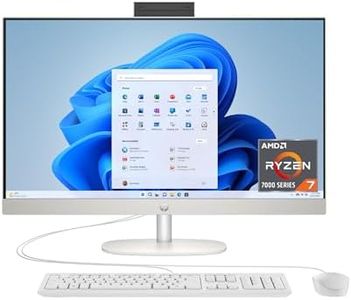
HP 27 inch All-in-One Desktop PC, FHD Display, AMD Ryzen 7 7730U, 32 GB RAM, 1 TB SSD, AMD Radeon Graphics, Windows 11 Home, 27-cr0012 (2024)

Rating
8.2
Processor (CPU)
Storage

Most important from
181 reviews

Processor (CPU)
The AMD Ryzen processor is highly responsive and handles multitasking with ease, making it a very good value.
Storage
The computer offers more speed and storage than necessary for light users, showcasing a significant upgrade from older models.

The HP 27 inch All-in-One Desktop PC is designed to cater to both education and business users, boasting a solid set of features that make it suitable for productivity tasks. Powered by the AMD Ryzen 7 7730U processor, this PC offers robust performance with a speed of 4.5 GHz, which should handle multitasking with ease. The inclusion of 32 GB of RAM ensures smooth operation even when dealing with demanding applications. Storage needs are well-covered with a 1 TB SSD, which not only offers ample space but also significantly faster data access compared to traditional hard drives.

The 27-inch Full HD display with a 1920x1080 resolution provides ample screen real estate for work and play, while the slim micro-edge design offers a modern and immersive viewing experience. The integrated AMD Radeon graphics card, however, might not be ideal for heavy gaming or graphics-intensive tasks, as it's designed more for general use.

Connectivity options are a bit limited with only one USB 3.0 port and four USB 2.0 ports, but it does support Bluetooth and Wi-Fi for wireless connections, which is a plus. The inclusion of a pop-up privacy camera and dual array microphones with noise reduction makes it convenient for video conferencing.

Running on Windows 11 Home, the PC benefits from the latest features and user interface improvements, making it a user-friendly choice for those familiar with Windows operating systems. The all-in-one design saves space, and its sleek white color adds a touch of elegance to any workspace. This desktop suits those who need a reliable machine for everyday tasks and moderate workloads, offering strong processing power and convenient features. However, for users requiring more advanced graphics capabilities or extensive connectivity options, other models might be more suitable.

Rating
8.2
Processor (CPU)
Storage

Most important from
181 reviews

Processor (CPU)
The AMD Ryzen processor is highly responsive and handles multitasking with ease, making it a very good value.
Storage
The computer offers more speed and storage than necessary for light users, showcasing a significant upgrade from older models.
#3

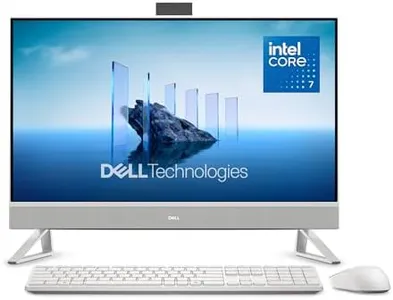
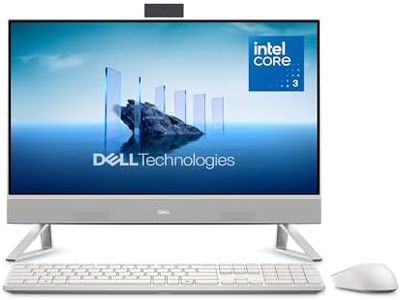
Dell 27 All-in-One Desktop ec27250-27-inch FHD (1920 x 1080) Display, Intel Core 7 Processor 150U, Intel Graphics, 16GB DDR5 RAM, 1TB SSD, Windows 11 Home, Onsite Service - White

Rating
8.2
Form Factor

Most important from
127 reviews

Form Factor
The all-in-one design keeps workspaces clean without sacrificing power or usability.

The Dell 27 All-in-One Desktop offers a clean and space-saving design with its 27-inch Full HD display, making it a good choice for business, education, and general use. The screen delivers vivid colors and good eye comfort with its blue light reduction feature, which is beneficial for those who spend long hours in front of the computer. It runs on an Intel Core i7 processor with 10 cores and 1.8 GHz speed, which handles everyday tasks smoothly but might feel limited for heavy multitasking or demanding software.

Its 16GB of DDR5 RAM is ample for most users, and the 1TB solid-state drive provides plenty of fast storage and quick startup times. Graphics are integrated Intel graphics, so it is suitable for video streaming and office work but not for high-end gaming or graphic-intensive applications. The device includes five USB 3.0 ports and supports modern wireless standards (Wi-Fi 6 and Bluetooth), making it easy to connect peripherals and stay online. The all-in-one form factor keeps the desk clutter-free, featuring a smart stand that stores the keyboard neatly.

One downside is limited upgradeability; being an all-in-one, it can be harder to upgrade components like the processor or graphics compared to traditional desktops. However, it offers good memory expansion potential with two slots. The included 5MP camera with HDR and a privacy pop-up feature is excellent for video calls. This Dell desktop is well-suited for users who want a stylish, efficient machine for everyday computing without the need for advanced gaming or professional-grade graphic work.

Rating
8.2
Form Factor

Most important from
127 reviews

Form Factor
The all-in-one design keeps workspaces clean without sacrificing power or usability.

Buying Guide for the Best Desktop Computers

Choosing the right desktop computer can seem overwhelming with so many options available. The most important thing is to focus on how you plan to use your computer. Are you looking for a machine for basic tasks like web browsing and email, or do you need something powerful for creative work or gaming? By understanding your needs, you can narrow down the specifications that matter most and avoid paying for features you won’t use. Take your time to learn about the main specs, as these are what determine how the computer will perform for you now and in the future.
Processor (CPU)The processor, or CPU, is the brain of the computer and directly affects how fast your computer runs programs and multitasks. A faster or more advanced CPU generally means snappier performance, especially when running demanding applications or having many programs open at once. Basic users who do light tasks can look for entry-level processors, which will suffice for email, web browsing, and word processing. Intermediate users who do some photo editing, light gaming, or run several apps at once should consider mid-range CPUs. Power users or those who handle video editing, advanced gaming, or 3D modeling should focus on high-end CPUs for smooth performance.
Memory (RAM)RAM, or system memory, helps your computer manage more tasks at once and keep things running smoothly when you have lots of applications or browser tabs open. If you use your computer for very basic activities, a lower amount of RAM will work just fine. For typical day-to-day multitasking, a moderate amount is recommended, while heavy users who run specialized software or like to keep many programs open will need more RAM to avoid slowdowns. Consider your multitasking habits and the software you use to guide how much RAM you need.
Storage (HDD/SSD)Storage is where all your files, programs, and the operating system are kept. Hard Disk Drives (HDDs) offer lots of space for less money, while Solid State Drives (SSDs) are much faster, leading to faster boot times and get things done more quickly. There are also computers that use both, giving a balance between speed and capacity. If you mainly store documents and photos with light use, a smaller SSD may be enough. For users who have large libraries of photos, videos, or games, or need a very responsive system, look for a bigger SSD or a combination of SSD and HDD, depending on what feels more practical.
Graphics (GPU)The graphics card, or GPU, handles visual processing and is a key part of gaming, video editing, and anything that displays complex images. Integrated graphics are built into the CPU and are fine for browsing and basic office work with some streaming. Discrete or dedicated GPUs are separate units suited for more demanding visuals, like modern games, 3D design, or professional creative applications. If you just watch videos or do non-visual work, you don’t need a powerful GPU. For creative work or gaming, make sure to pick a system with a dedicated and stronger GPU.
Form FactorThe form factor refers to the size and shape of the computer. There are large towers, compact desktops, and tiny mini-PCs. Towers offer room for upgrades and better cooling and are good if you need power or plan to upgrade later. Compact desktops are great if you have limited space but still want decent performance. Mini-PCs save the most space but may offer limited upgradability and lower performance. Your workspace size and need for future upgrades can help steer you to the best form factor for your setup.
Connectivity and PortsConnectivity includes USB ports, HDMI, audio jacks, and network connections. More ports make it easier to plug in all your devices (monitors, keyboards, printers, etc.). Think about what you’ll need to connect: multiple monitors, lots of USB devices, or other peripherals? Make sure the desktop has enough of the right ports to meet your needs. Also, consider if you need built-in Wi-Fi, Bluetooth, or a memory card reader, depending on your preferred accessories and setup.
UpgradeabilityUpgradeability is about how easily you can add or swap out parts like RAM, storage, or graphics cards in the future. Some desktops are easy to open and upgrade, while others might be limited or sealed, making future upgrades tricky or impossible. If you want a computer that will keep up with changing needs or technology, choose a model designed for easy access and upgrades. If you’re not planning on making changes, this is less crucial, but for longevity, upgradeability can be a big advantage.

FAQ