We Use CookiesWe use cookies to enhance the security, performance, functionality and for analytical and promotional activities. By continuing to browse this site you are agreeing to our privacy policy

10 Best Digital Picture Frames 2026 in the United States
How do we rank products for you?

Our technology thoroughly searches through the online shopping world, reviewing hundreds of sites. We then process and analyze this information, updating in real-time to bring you the latest top-rated products. This way, you always get the best and most current options available.

headphones-stars

Our Top Picks

#1

Winner

Skylight Digital Picture Frame: 15 Inch WiFi Enabled with Load from Phone Capability, Touch Screen Digital Photo Frame Display - Customizable Gift for Friends and Family - Black

Rating
10.0
Chosen by1,343
Screen Resolution
Photo Loading Options
Display Features (Touchscreen, Aspect Ratio, Viewing Angles)

Most important from
26860 reviews

Screen Resolution
The image quality is sharp and vibrant, standing out positively against other digital picture frames.
Photo Loading Options
The WiFi integration revolutionizes photo sharing compared to older SD card models, enabling real-time uploads and instant viewing at home.
Display Features (Touchscreen, Aspect Ratio, Viewing Angles)
Setting up the frame is quick and simple, with WiFi connection and touchscreen navigation ready within minutes.
Power Source and Energy-Saving Features
The need to stay plugged in at all times is a minor inconvenience that doesn’t detract from the overall reliable and user-friendly experience.

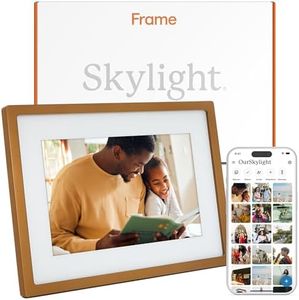
The Skylight Digital Picture Frame offers a large 15-inch touchscreen with a sharp WXGA resolution of 1280x800, which delivers clear and vibrant photo displays suitable for most casual users wanting to showcase family memories. Its most user-friendly aspect is the easy setup, allowing photos to be sent directly via a unique Skylight email, which is great for non-techy family members and remote sharing. Cloud storage means there's no need to manage SD cards or USB drives, simplifying photo management. The touch screen enhances navigation and photo viewing experience, while offline mode lets you view existing photos without Wi-Fi, adding some flexibility.

The frame supports smartphone compatibility, so users should check photo compatibility if they use uncommon formats. Power comes via a plugged-in source rather than relying on rechargeable batteries, which is typical but means it needs a nearby outlet.

This frame is highly suitable for users looking for a simple, elegant way to share photos with family and friends, especially those who want to easily update images remotely. Although it may not offer advanced slideshow customization or extensive multiple file format support, its intuitive design and reliable performance make it a solid choice for most home and gift uses.

Rating
10.0
Chosen by1,343
Screen Resolution
Photo Loading Options
Display Features (Touchscreen, Aspect Ratio, Viewing Angles)

Most important from
26860 reviews

Screen Resolution
The image quality is sharp and vibrant, standing out positively against other digital picture frames.
Photo Loading Options
The WiFi integration revolutionizes photo sharing compared to older SD card models, enabling real-time uploads and instant viewing at home.
Display Features (Touchscreen, Aspect Ratio, Viewing Angles)
Setting up the frame is quick and simple, with WiFi connection and touchscreen navigation ready within minutes.
Power Source and Energy-Saving Features
The need to stay plugged in at all times is a minor inconvenience that doesn’t detract from the overall reliable and user-friendly experience.
#2

Nixplay Digital Touch Screen Picture Frame with WiFi - 15.6” Photo Frame, Connecting Families & Friends (Black/White Matte)

Rating
9.4
Connectivity

Most important from
21396 reviews

Connectivity
Uploading photos directly from a phone is straightforward, making it easy for the whole family to share moments.

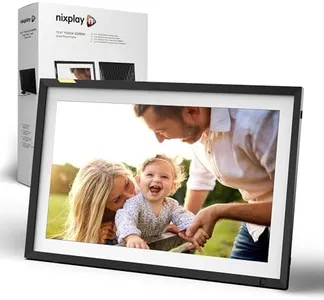
The Nixplay Digital Touch Screen Picture Frame boasts a sizeable 15.6-inch screen, making it perfect for displaying large, vibrant photos. With a solid resolution of 1080p, it ensures your images appear clear and detailed. The frame's WiFi connectivity is a significant plus, enabling easy photo and video uploads from various devices, including smartphones and personal computers.

You can connect multiple frames and invite multiple users to upload photos, making it ideal for sharing moments with family and friends across long distances. The user interface is designed to be intuitive, with simple setup instructions and a user-friendly app available for both iOS and Android devices. Additionally, the frame supports adding photos and videos from popular platforms like Apple Photos, Facebook, and Instagram.

Some features, such as Google Photos integration, require a subscription, which could be a downside for some users. The AI-driven smart-centering and automatic rotation features enhance the display experience by ensuring your photos are perfectly centered and can be easily viewed in both landscape and portrait modes. Privacy is also a priority, with secure cloud storage based in the USA, compliant with CCPA and GDPR regulations. On the downside, the frame is relatively heavy at 4.82 pounds, and its price point may be higher compared to other frames in the market. This digital picture frame is excellent for those looking for a feature-rich, user-friendly photo display solution, especially for large families or events where multiple people contribute photos.

Rating
9.4
Connectivity

Most important from
21396 reviews

Connectivity
Uploading photos directly from a phone is straightforward, making it easy for the whole family to share moments.
#3

Nixplay AI-Enhanced Digital Picture Frame | Stunning HD Touch Screen Display | Perfect Digital Picture Frame for Gifting | Auto-Rotation Feature, Securely Share Photos/Videos via Email or App | 10.1"

Rating
8.8
Connectivity
User Interface
Additional Features

Most important from
21396 reviews

Connectivity
Setting up the Nixplay frame is incredibly simple, with a basic connection process that is guided by on-screen prompts.
User Interface
Uploading photos is as easy as granting the app access to your phone's photo library and selecting the images you wish to display.
Additional Features
Despite its higher price tag, the frame's features and ease of use make it a beloved addition to the home.

The Nixplay Digital Picture Frame boasts a 10.1-inch HD touch screen display, which is a good size for enjoying photos and videos. The 720p resolution may not be the highest available, but it should provide clear and satisfactory image quality for most users.

One of its standout features is the ease of setup and connectivity. With WiFi capability and an app that's available for both iOS and Android, users can effortlessly upload and share photos and videos from various platforms like Apple Photos and Google Photos. Additionally, the ability to send images directly to the frame via email is a convenient touch.

The Nixplay frame is AI-enhanced, offering smart-centering and auto-rotation features that ensure your photos are always displayed optimally, whether in landscape or portrait mode. The user interface is friendly and intuitive, making it simple to navigate through the various settings and options. The frame also includes some fun extras like NixCast for casting to a smart TV and NixEvents for creating shared albums during gatherings.

A notable point is the focus on privacy, with secure cloud storage based in the USA. While the screen resolution of 720p isn't as crisp as higher resolutions available in some other digital frames, the combination of features, ease of use, and additional sharing capabilities make the Nixplay Digital Picture Frame a solid choice for anyone looking to relive and share their cherished moments.

Rating
8.8
Connectivity
User Interface
Additional Features

Most important from
21396 reviews

Connectivity
Setting up the Nixplay frame is incredibly simple, with a basic connection process that is guided by on-screen prompts.
User Interface
Uploading photos is as easy as granting the app access to your phone's photo library and selecting the images you wish to display.
Additional Features
Despite its higher price tag, the frame's features and ease of use make it a beloved addition to the home.

Buying Guide for the Best Digital Picture Frames

Selecting a digital picture frame can greatly enhance how you display and enjoy your favorite photos. These frames are designed for convenience, style, and ease of updating your memories without the need to print photos. When choosing the best digital picture frame for yourself, it’s important to consider a few essential features so that the device fits your lifestyle, environment, and the way you want to manage your pictures.
Screen SizeScreen size refers to the diagonal measurement of the display area, usually in inches. It determines how large your photos appear and affects where you can place the frame. For desk or bedside use, smaller sizes (7-8 inches) are compact and unobtrusive, while medium (10-12 inches) balances immersion with versatility, and larger frames (15 inches or above) are best for walls or large shelves. Choose a size based on where you plan to display the frame and how noticeable you want the photos to be.
Screen ResolutionResolution is the number of pixels the screen displays, usually noted as width x height (for example, 1280x800 pixels). Higher resolution means sharper, clearer images, especially on bigger screens. Low resolutions can make photos look blurry or pixelated. Use lower resolutions for small, casual frames; opt for higher resolutions (such as Full HD or above) for larger displays or if crisp, detailed images are important to you.
Photo Loading OptionsThis refers to how you upload or update your pictures. Options can include USB ports, SD cards, Wi-Fi, Bluetooth, or companion apps. Simpler frames may require you to transfer photos manually with a USB or card, while more advanced ones let you sync photos wirelessly or even share them remotely through apps. If you want to regularly update images or send pictures from afar, look for Wi-Fi or app-enabled frames.
Supported File FormatsFile formats are the types of photo files the frame can display (like JPEG, PNG, BMP). Most people use JPEGs for photos, so basic frames typically cover this, but if you use different file types or want to display short videos or audio, check for wider format compatibility. Pick a frame that matches the formats you most often use to avoid conversion hassles.
Display Features (Touchscreen, Aspect Ratio, Viewing Angles)Other display attributes include whether the frame is a touchscreen (making it easier to control and interact with menus), the aspect ratio (the shape of the displayed photos), and viewing angles (how the screen looks from the side). Wide viewing angles and the right aspect ratio (matching your camera or phone, such as 4:3 or 16:9) prevent images from looking distorted or cut off. Select display features based on your preference for ease of use and how you want your photos to look from different parts of the room.
Internal Storage and Cloud IntegrationInternal storage means how many photos you can store directly in the frame. Larger storage lets you keep more images accessible at once. Some frames also offer cloud integration, so your pictures can be stored online and updated automatically. If you plan to show many photos or want them to update remotely, choose a frame with high internal storage or cloud features.
Customizable Slideshows and TransitionsMany frames allow you to set how photos are displayed, such as slideshow settings (timing, random order) and transitions (fade, wipe, etc.). These options personalize your viewing experience. If you like variety or want control over how images appear, check for good slideshow customization options.
Power Source and Energy-Saving FeaturesDigital frames can be powered by plugging into the wall or, less commonly, by batteries. Energy-saving features like sleep timers or motion sensors help reduce electricity use by turning off the screen when not needed. Consider where you’ll put the frame and if plug access or low power use is more important to you.

FAQ