We Use CookiesWe use cookies to enhance the security, performance, functionality and for analytical and promotional activities. By continuing to browse this site you are agreeing to our privacy policy

10 Best Laptops For College Students 2026 in the United States
How do we rank products for you?

Our technology thoroughly searches through the online shopping world, reviewing hundreds of sites. We then process and analyze this information, updating in real-time to bring you the latest top-rated products. This way, you always get the best and most current options available.

headphones-stars

Our Top Picks

#1

Winner

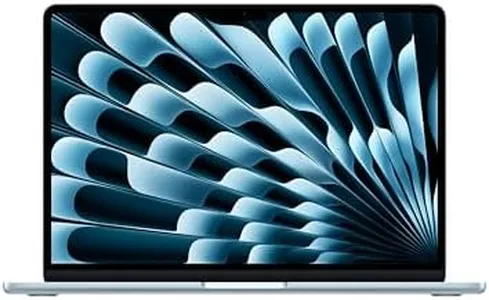
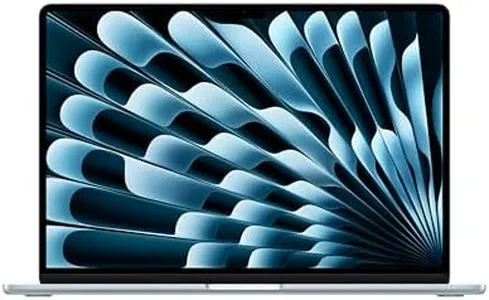
Apple 2025 MacBook Air 13-inch Laptop with M4 chip: Built for Apple Intelligence, 13.6-inch Liquid Retina Display, 16GB Unified Memory, 512GB SSD Storage, 12MP Center Stage Camera, Touch ID; Sky Blue

Rating
10.0
Chosen by1,201
Processor (CPU)
Battery Life
Portability

Most important from
5631 reviews

Processor (CPU)
The M4 chip delivers fast, quiet performance with apps opening instantly and smooth multitasking backed by 16GB unified memory.
Battery Life
Battery life easily lasts through a full day of classes and work without needing to recharge.
Portability
The MacBook Air is lightweight and portable yet feels solid and well-built, making it ideal for on-the-go use.
Display
The 13.6-inch Liquid Retina display provides a stunning, crisp visual experience that enhances both work and entertainment.

The 2025 Apple MacBook Air with the M4 chip is an excellent choice for college students who need a lightweight, powerful laptop. Its 10-core CPU paired with 16GB of unified memory offers smooth multitasking and handles demanding apps like Microsoft 365 and Adobe Creative Cloud with ease. The 512GB SSD provides ample fast storage for documents, media, and projects. The 13.6-inch Liquid Retina display is bright and sharp, making it great for both study and entertainment. Battery life is impressive, lasting up to 18 hours, which means you can get through a full day of classes and work without needing to charge. Weighing just under 3 pounds, it’s very portable and easy to carry around campus.

macOS offers a secure and user-friendly environment, especially if you already use other Apple devices, with seamless features like iPhone mirroring and quick file sharing. Connectivity is solid with two Thunderbolt 4 ports, Wi-Fi 6E, Bluetooth 5.3, and a headphone jack, covering most needs for external devices and internet speed. However, the MacBook Air’s GPU is integrated, so while it can handle casual gaming and video editing, it isn’t designed for heavy gaming or 3D work. Also, the price tends to be higher compared to Windows laptops with similar specs, which might be a consideration for budget-conscious students.

This MacBook Air is well suited for students seeking a stylish, reliable, and long-lasting laptop optimized for academic tasks, content creation, and everyday use, especially within the Apple ecosystem.

Rating
10.0
Chosen by1,201
Processor (CPU)
Battery Life
Portability

Most important from
5631 reviews

Processor (CPU)
The M4 chip delivers fast, quiet performance with apps opening instantly and smooth multitasking backed by 16GB unified memory.
Battery Life
Battery life easily lasts through a full day of classes and work without needing to recharge.
Portability
The MacBook Air is lightweight and portable yet feels solid and well-built, making it ideal for on-the-go use.
Display
The 13.6-inch Liquid Retina display provides a stunning, crisp visual experience that enhances both work and entertainment.
#2

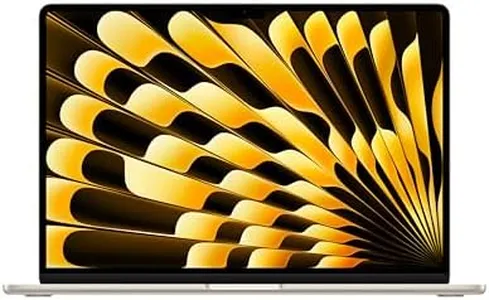
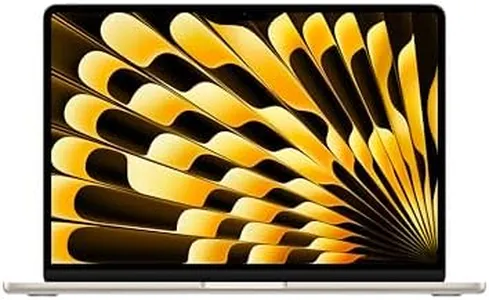
Apple 2025 MacBook Air 13-inch Laptop with M4 chip: Built for Apple Intelligence, 13.6" Liquid Retina Display, 16GB Unified Memory, 256GB SSD Storage, 12MP Center Stage Camera, Touch ID, Starlight

Rating
9.1
Processor (CPU)
Battery Life
Portability

Most important from
5631 reviews

Processor (CPU)
This MacBook Air delivers top-tier speed and power, making multitasking and demanding apps run effortlessly.
Battery Life
Battery life consistently lasts over 13 to 15 hours in real-world use, easily powering through a full day of classes and work.
Portability
Its lightweight design makes it far easier to carry around campus compared to older laptops.
Display
The 13.6-inch Liquid Retina display offers sharp, vibrant visuals with excellent color accuracy and brightness.

The Apple 2025 MacBook Air with the new M4 chip is a solid choice for college students who want a lightweight, powerful, and reliable laptop. Its 10-core CPU and 8-core GPU provide smooth performance for multitasking, video editing, and even some demanding apps, making it suitable for a wide range of study needs. The 16GB of unified memory supports efficient workflow across multiple applications, while the 256GB SSD offers fast storage, though some students might find the space a bit limiting if they store many large files locally.

Battery life is impressive, lasting up to 18 hours of video streaming, which means it can easily get through a full day of classes and study sessions without needing a recharge. The 13.6-inch Liquid Retina display delivers sharp, vibrant visuals that are great for both work and entertainment, but it might be a bit small if you prefer larger screens for multitasking. Weighing just under 3 pounds, it’s very portable and easy to carry around campus. macOS offers a smooth and secure user experience, especially if you already use other Apple devices, thanks to seamless integration features like iPhone mirroring and universal clipboard.

Connectivity includes two Thunderbolt 4 ports, Wi-Fi 6E, and Bluetooth 5.3, covering most modern needs, though some users might miss having more USB-A ports without using adapters. The included 12MP Center Stage camera and high-quality microphones are a plus for online classes and video calls. While the MacBook Air excels in portability and everyday tasks, it’s not designed for very heavy gaming or specialized software that runs better on Windows. This MacBook Air is an excellent fit for students wanting a fast, light, and long-lasting laptop with an excellent display and security, especially those already invested in the Apple ecosystem.

Rating
9.1
Processor (CPU)
Battery Life
Portability

Most important from
5631 reviews

Processor (CPU)
This MacBook Air delivers top-tier speed and power, making multitasking and demanding apps run effortlessly.
Battery Life
Battery life consistently lasts over 13 to 15 hours in real-world use, easily powering through a full day of classes and work.
Portability
Its lightweight design makes it far easier to carry around campus compared to older laptops.
Display
The 13.6-inch Liquid Retina display offers sharp, vibrant visuals with excellent color accuracy and brightness.
#3

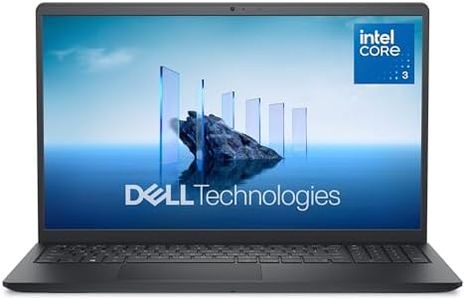
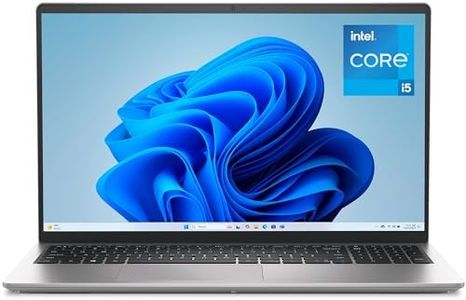
Dell 15 Laptop DC15250-15.6-inch FHD (1920x1080) 120Hz Display, Intel Core i5-1334U Processor, 16GB DDR4 RAM, 512GB SSD, Intel UHD Graphics, Windows 11 Home, Onsite Service - Platinum Silver

Rating
8.8
Processor (CPU)
Battery Life
Portability

Most important from
573 reviews

Processor (CPU)
The laptop delivers fast performance with ample storage, making it great for everyday tasks and fitting comfortably within a tight budget.
Battery Life
Battery life is a notable downside, lasting only around four hours during light use, with no option to replace the battery.
Portability
Its size and weight strike a good balance, making it comfortable to carry and use throughout the day.
Display
The screen size is ideal for both work and entertainment, providing a comfortable viewing experience.

The Dell 15 DC15250 is a solid choice for college students looking for a dependable everyday laptop. It features an Intel Core i5-1334U processor paired with 16GB of DDR4 RAM, which provides good performance for multitasking, research, writing papers, and streaming. Its 512GB SSD offers ample and fast storage for documents, media, and software, meaning quick startup and load times. The 15.6-inch Full HD display runs at 120Hz, delivering smooth visuals for both study and entertainment, while the anti-glare coating and Dell ComfortView technology reduce eye strain during long sessions.

Portability-wise, it weighs about 3.6 pounds and has a slim profile (0.75 inches thick), making it reasonable to carry around campus, though not the lightest option available. Battery life includes energy-efficient features and Express Charge support, which should help keep you powered through typical school days. Windows 11 Home provides a familiar and versatile operating system for productivity apps and connectivity. Connectivity options include multiple USB ports and Wi-Fi 6 support, good for fast internet and accessory connections. Additional perks like a backlit keyboard, numeric keypad, ergonomic hinge design, and one-year onsite service add comfort and peace of mind.

The laptop uses integrated Intel UHD graphics, which means it’s not suited for heavy gaming or graphic-intensive software. This Dell laptop offers a balanced package of performance, display quality, and practical features making it well-suited for college students who want reliable performance and comfort without needing advanced gaming or professional-grade graphics.

Rating
8.8
Processor (CPU)
Battery Life
Portability

Most important from
573 reviews

Processor (CPU)
The laptop delivers fast performance with ample storage, making it great for everyday tasks and fitting comfortably within a tight budget.
Battery Life
Battery life is a notable downside, lasting only around four hours during light use, with no option to replace the battery.
Portability
Its size and weight strike a good balance, making it comfortable to carry and use throughout the day.
Display
The screen size is ideal for both work and entertainment, providing a comfortable viewing experience.

Buying Guide for the Best Laptops For College Students

Choosing the right laptop for college can be a daunting task, but with the right approach, you can find a model that fits your needs perfectly. As a college student, you'll need a laptop that can handle your coursework, research, and possibly some entertainment. It's important to consider factors like performance, portability, battery life, and storage. Here's a breakdown of key specifications to help you make an informed decision.
Processor (CPU)The processor is the brain of your laptop and determines how fast and efficiently it can run programs. For college students, a mid-range processor like Intel Core i5 or AMD Ryzen 5 is usually sufficient for most tasks, including web browsing, word processing, and streaming videos. If you're studying a field that requires more intensive computing, such as engineering or graphic design, you might need a higher-end processor like Intel Core i7 or AMD Ryzen 7.
RAMRAM (Random Access Memory) affects how smoothly your laptop can run multiple applications at once. For general use, 8GB of RAM is typically enough for college students. If you plan to run more demanding software or multitask heavily, consider upgrading to 16GB. More RAM allows for better performance and faster access to data, which is crucial for tasks like video editing or running virtual machines.
StorageStorage determines how much data you can keep on your laptop. There are two main types: HDD (Hard Disk Drive) and SSD (Solid State Drive). SSDs are faster and more reliable but tend to be more expensive. For most students, a 256GB SSD should be sufficient for storing documents, applications, and some media files. If you need more space for large files like videos or software, consider a 512GB SSD or a combination of SSD and HDD.
Battery LifeBattery life is crucial for students who need to use their laptops throughout the day without frequent charging. Look for laptops that offer at least 8 hours of battery life to ensure you can get through classes, study sessions, and extracurricular activities. If you're often on the go or have long days, prioritize models with longer battery life.
PortabilityPortability is important for students who need to carry their laptops between classes, libraries, and dorms. Consider the weight and size of the laptop. Ultrabooks and lightweight models are ideal for portability, typically weighing around 2-3 pounds. A 13-14 inch screen size strikes a good balance between usability and portability.
DisplayThe display quality affects your viewing experience. A Full HD (1920x1080) resolution is generally sufficient for most tasks and provides clear and sharp visuals. If you're into graphic design, video editing, or gaming, you might want a higher resolution or better color accuracy. Consider the screen size as well; a 13-15 inch display is usually a good choice for balancing portability and usability.
Operating SystemThe operating system (OS) is the software that manages your laptop's hardware and software. The most common options are Windows, macOS, and Chrome OS. Windows is versatile and compatible with most software, making it a good choice for general use. macOS is preferred by students in creative fields due to its robust multimedia capabilities. Chrome OS is lightweight and ideal for web-based tasks but may not support all software needed for certain courses.
ConnectivityConnectivity options like USB ports, HDMI, and Wi-Fi are essential for connecting peripherals and accessing the internet. Ensure the laptop has enough USB ports for your needs, including USB-C for faster data transfer and charging. HDMI is useful for connecting to external displays. Good Wi-Fi capabilities ensure reliable internet access, which is crucial for online research and assignments.

FAQ