10 Best Large Format Printers 2026 in the United States
Related Products
Up to 20% off


Our technology thoroughly searches through the online shopping world, reviewing hundreds of sites. We then process and analyze this information, updating in real-time to bring you the latest top-rated products. This way, you always get the best and most current options available.

Our Top Picks
Winner
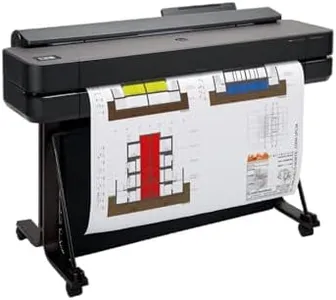
HP DesignJet T650 Large Format 36-inch Plotter Printer, Includes 2-Year Onsite Warranty Support (5HB10T) - New Model
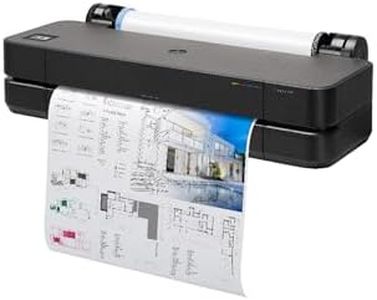
The HP DesignJet T650 is a reliable large-format printer designed for professionals like architects, engineers, and construction experts who need precise, high-quality line drawings, posters, and maps. It supports wide media up to 36 inches, with sizes also accommodated on sheets up to 13 by 19 inches, making it flexible for various project types. The printer boasts a sharp resolution of 2400 x 1200 dots per inch, ensuring crisp text and accurate lines, which is important for detailed technical work.
This model uses HP's pigment and dye-based inks, which provide vibrant colors and good durability. It handles media efficiently with automatic sheet and roll feeding, plus an automatic cutter, allowing multi-size printing without manual changes—saving time and reducing hassle. Print speeds are moderate, at about 25 seconds per A1-sized page or roughly 82 pages per hour, which suits medium workloads but may be slow for very high-volume printing.
Connectivity is versatile, including Gigabit Ethernet, USB 2.0, and Wi-Fi, giving you multiple ways to connect and print from computers, tablets, or smartphones. The included HP Click software simplifies printing from common file types like PDFs and JPEGs, and the HP Smart app lets you manage prints remotely. It also comes with a generous 2-year onsite warranty and quick service support.
The printer is relatively heavy and takes up substantial space, so it’s better suited to dedicated work areas. While its print speed is decent for typical professional use, it might feel slow if very fast output is needed. Additionally, it’s designed mainly for print-only tasks without scanning or copying features.
The HP DesignJet T650 is well suited for professionals requiring accurate, high-resolution large-format prints with good media handling and convenient connectivity. It delivers solid value especially where quality and ease of use are priorities, though it may not be the best choice for extremely high-volume or multifunctional office environments.
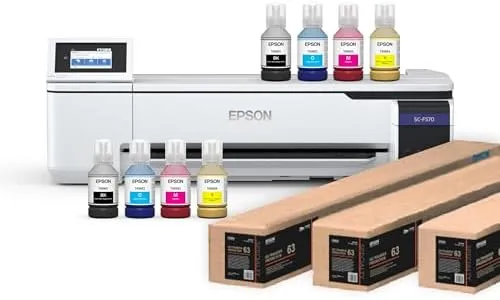
Epson Surecolor F570 Pro 24" Desktop Sublimation Printer, Includes Two Full Ink Sets, User Guide, Sublimation Paper, & Free Remote Install SCF570PE (Printer & Inks)
Most important from
27 reviews
The Epson SureColor F570 Pro is a solid choice if you need a desktop large-format sublimation printer with a maximum print width of 24 inches, suitable for various projects involving polyester fabrics, coated ceramics, and more. It delivers sharp images thanks to its high print resolution of up to 2400x1200 dpi, using dye-sublimation inks designed specifically for vibrant and durable color output. This printer supports both rolls and sheets, and its built-in cutter and 50-sheet auto-feed tray add convenience for handling media efficiently.
The print speed is quite slow—about 1 page per minute in both color and black-and-white—typical for printers focused on high-quality sublimation rather than volume printing. Connectivity options include wireless, USB, and Ethernet, making it flexible to connect to your PC. It comes with Epson Edge Print Pro software, which offers useful features like job layout and color control, helping you get professional results without too much hassle.
The printer is quite large and heavy for a desktop model, requiring freight delivery and some space in your workspace. It also does not support duplex (double-sided) printing, which may not be a concern for sublimation projects. This printer is well suited for hobbyists or small business owners focused on quality sublimation prints rather than fast bulk printing.
Most important from
27 reviews
HP DesignJet T650 Large Format 24-inch Plotter Printer, Includes 2-Year Onsite Warranty Support (5HB08T) - New Model
The HP DesignJet T650 is a solid choice for professionals such as architects, engineers, and construction experts who need precise and sharp large-format prints up to 24 inches wide. It offers a high print resolution of 2400 x 1200 dpi, which ensures crisp lines and vivid color, important for technical drawings, posters, and maps. The printer uses pigment and dye-based inks, providing good color quality and durability. It supports various media types, including roll and sheet feeds up to 24 inches wide, and features automatic switching between roll and sheets, plus an automatic horizontal cutter, making it convenient for multi-sized projects.
Print speed is reasonable for its category, with about 26 seconds per A1/D size page and up to 82 such prints per hour, helping to keep workflows efficient. Connectivity options are versatile, including Ethernet, USB 2.0, and Wi-Fi, allowing easy printing from desktops, laptops, and mobile devices via the HP Smart app. The included HP Click software simplifies handling multiple file types and reduces waste with features like PDF error checking and auto-nesting.
The printer comes with a 2-year onsite warranty, which adds peace of mind through fast support and maintenance. While it is relatively heavy (81 pounds) and better suited for office or studio spaces rather than portability, its robust build and features justify this. One limitation is the maximum sheet capacity (50 sheets), which might require frequent refilling in busy environments. Also, while print speeds are decent, they are not the fastest available, so users with extremely high volume demands might consider faster models. The HP DesignJet T650 combines high print quality, flexible media handling, and useful software in a reliable package that fits well for users needing quality large-format technical prints without overly complex operation.