We Use CookiesWe use cookies to enhance the security, performance, functionality and for analytical and promotional activities. By continuing to browse this site you are agreeing to our privacy policy

10 Best Printers With Refillable Ink 2026 in the United States

How do we rank products for you?

Our technology thoroughly searches through the online shopping world, reviewing hundreds of sites. We then process and analyze this information, updating in real-time to bring you the latest top-rated products. This way, you always get the best and most current options available.

headphones-stars

Our Top Picks

#1

Winner

Epson EcoTank ET-2803 Wireless Color All-in-One Cartridge-Free Supertank Printer with Scan, Copy and AirPrint Support

Rating
10.0
Chosen by1,186
Print Quality (Resolution)
Ink Tank Capacity
Connectivity Options

Most important from
19713 reviews

Print Quality (Resolution)
The printer delivers amazing print quality that is perfect for sublimation projects and detailed color output.
Ink Tank Capacity
Refillable ink tanks provide a long-lasting ink supply, eliminating cartridge hassles and significantly reducing printing costs.
Connectivity Options
Wireless connectivity is reliable, maintaining a stable Wi-Fi connection without frequent drops.
Paper Handling
The printer handles specialty media like sublimation paper and DTF film effortlessly, even with different paper sizes.
Maintenance and Ease of Use
Setup is quick and straightforward, allowing users to start printing within minutes without complications.

The Epson EcoTank ET-2803 is a solid choice for home, school, or small office use if you want to avoid constantly buying ink cartridges. Its standout feature is the refillable ink tanks, which come with decent-sized ink bottles that help keep printing costs low over time. The print quality is quite sharp, with a high resolution of 5760 x 1440 dpi, so photos and documents look clear and colorful. However, the print speed is moderate: about 10 pages per minute in black and just 5 pages per minute for color, so it’s not the fastest if you have large printing jobs.

It supports both USB and Wi-Fi connectivity, making it easy to print wirelessly from your computer or smartphone. The printer handles standard paper sizes well and can print on small photo paper too, but it only has one paper tray with a 100-sheet capacity, which means you might need to refill paper more often for bigger tasks. One limitation is the lack of automatic double-sided (duplex) printing, so you’ll need to manually flip pages if you want to print on both sides, which can be a bit inconvenient. Maintenance should be straightforward thanks to the cartridge-free design and the included setup bottles that simplify refills.

The compact design and included features like scanning and copying add value without making it complicated to use. This printer suits users who prioritize cost-efficient color printing with decent quality and wireless convenience. However, if you need very fast printing or automatic duplexing, you might want to explore other options.

Rating
10.0
Chosen by1,186
Print Quality (Resolution)
Ink Tank Capacity
Connectivity Options

Most important from
19713 reviews

Print Quality (Resolution)
The printer delivers amazing print quality that is perfect for sublimation projects and detailed color output.
Ink Tank Capacity
Refillable ink tanks provide a long-lasting ink supply, eliminating cartridge hassles and significantly reducing printing costs.
Connectivity Options
Wireless connectivity is reliable, maintaining a stable Wi-Fi connection without frequent drops.
Paper Handling
The printer handles specialty media like sublimation paper and DTF film effortlessly, even with different paper sizes.
Maintenance and Ease of Use
Setup is quick and straightforward, allowing users to start printing within minutes without complications.
#2

Epson EcoTank ET-2800 Wireless Color All-in-One Cartridge-Free Supertank with Scan and Copy, The Ideal Basic Home Printer - White

Rating
9.1
Print Quality (Resolution)
Ink Tank Capacity
Connectivity Options

Most important from
19713 reviews

Print Quality (Resolution)
Print quality is excellent, with vivid colors and no smudging, making it ideal for photo printing.
Ink Tank Capacity
The ink tanks are incredibly long-lasting, with users printing hundreds of photos while still having mostly full tanks.
Connectivity Options
Mac compatibility is seamless with full support and easy driver installation.
Maintenance and Ease of Use
Setup is straightforward and quick, taking about 10 minutes with easy-to-follow instructions.

The Epson EcoTank ET-2800 is a solid choice for home users seeking a reliable, cost-effective printer with refillable ink technology. One of its standout features is the innovative cartridge-free system, utilizing high-capacity ink tanks that can significantly reduce your ink costs by up to 90%. This printer comes with enough ink to last up to two years, minimizing the hassle of frequent replacements and making it excellent for those who print regularly. With a maximum print resolution of 5760 x 1440, the ET-2800 delivers impressive quality in both text and color images, making it suitable for various printing needs.

In terms of connectivity, the ET-2800 supports both wired and wireless options, allowing for easy printing from multiple devices, including smartphones and laptops. The built-in scanner and copier also add value, making it a versatile all-in-one device for basic office tasks.

There are some drawbacks to consider. The print speed is relatively slow at 10 pages per minute for black and 5 pages per minute for color, which may not be ideal for users who need high-volume printing in a short amount of time. Additionally, duplex printing is manual, which might be inconvenient for those looking for easy double-sided printing. Maintenance may require some care when setting up the ink tanks, and occasional upkeep is necessary to ensure optimal performance. The build quality is decent for home use, but its plastic construction may not be as robust as higher-end models.

Rating
9.1
Print Quality (Resolution)
Ink Tank Capacity
Connectivity Options

Most important from
19713 reviews

Print Quality (Resolution)
Print quality is excellent, with vivid colors and no smudging, making it ideal for photo printing.
Ink Tank Capacity
The ink tanks are incredibly long-lasting, with users printing hundreds of photos while still having mostly full tanks.
Connectivity Options
Mac compatibility is seamless with full support and easy driver installation.
Maintenance and Ease of Use
Setup is straightforward and quick, taking about 10 minutes with easy-to-follow instructions.
#3

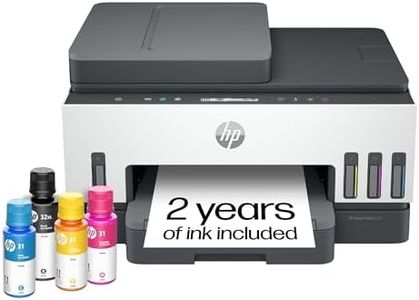
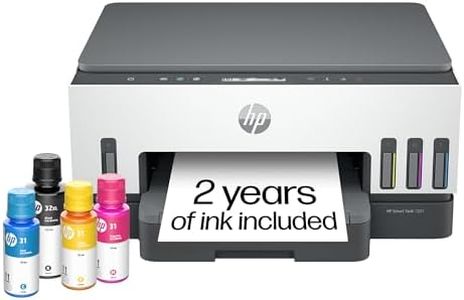
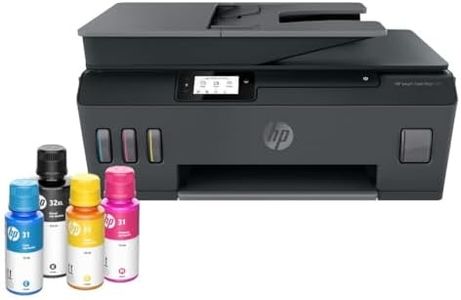
HP Smart Tank Plus 651 Wireless All-in-One Printer, Ink Tank Printer-for-Home Use, 2 Years of Ink Included Auto Document Feeder, Mobile Print, Scan, Copy, Fax, an EcoTank Alternative (7XV38A)

Rating
8.5
Print Quality (Resolution)
Ink Tank Capacity
Connectivity Options

Most important from
2185 reviews

Print Quality (Resolution)
Prints come out beautifully with sharp text and vibrant colors, producing professional-quality results.
Ink Tank Capacity
The ink tanks are a game-changer, reducing the hassle and cost of constantly replacing ink cartridges.
Connectivity Options
Wireless connectivity is a game-changer, allowing printing from anywhere in the home without the need for cords.
Duplex Printing
Manual duplex printing is required, which might be a deal-breaker for some, but the printer prompts and guides through the process.
Maintenance and Ease of Use
The setup process can be slightly confusing, but once completed, the printer operates efficiently.

The HP Smart-Tank Plus 651 Wireless All-in-One Ink-Tank Printer is well-suited for families and small offices needing high-volume color printing at a low cost. It offers solid print quality with a resolution capable of producing crisp text and vibrant photos. Its print speed is moderate, with up to 11 pages per minute (ppm) for black and 5 ppm for color, which might be slower than some users prefer for high-demand tasks. The large ink tank capacity is a standout feature, allowing up to two years of use without refilling, which is perfect for those looking to save on ink costs in the long run.

This printer scores high on usability with its easy-to-use interface, mess-free refill system, and mobile printing capabilities via the HP app. Connectivity is robust with options including Wi-Fi, Bluetooth, and USB, and the dual-band Wi-Fi ensures reliable wireless connections. On the downside, it lacks automatic duplex printing, so users will need to manually flip pages for double-sided printing. Paper handling is decent with a 100-sheet input capacity and a 35-page automatic document feeder, though the output tray holds only 30 sheets, which may require frequent emptying during large print jobs.

Weighing 13.6 pounds and featuring a 2.2-inch touchscreen, this ENERGY STAR certified printer is relatively compact and environmentally friendly. It integrates well with smart home setups, working with Alexa for voice-activated printing. As a versatile all-in-one device, it can print, scan, copy, and fax, making it a comprehensive solution for most home office needs.

Rating
8.5
Print Quality (Resolution)
Ink Tank Capacity
Connectivity Options

Most important from
2185 reviews

Print Quality (Resolution)
Prints come out beautifully with sharp text and vibrant colors, producing professional-quality results.
Ink Tank Capacity
The ink tanks are a game-changer, reducing the hassle and cost of constantly replacing ink cartridges.
Connectivity Options
Wireless connectivity is a game-changer, allowing printing from anywhere in the home without the need for cords.
Duplex Printing
Manual duplex printing is required, which might be a deal-breaker for some, but the printer prompts and guides through the process.
Maintenance and Ease of Use
The setup process can be slightly confusing, but once completed, the printer operates efficiently.

Buying Guide for the Best Printers With Refillable Ink

When choosing a printer with refillable ink, it's important to consider several key specifications to ensure you get a model that fits your needs. Refillable ink printers are a great choice for those who print frequently, as they offer lower running costs and are more environmentally friendly. Here are the key specs you should look at and how to navigate them to find the best printer for you.
Print Quality (Resolution)Print quality, measured in dots per inch (DPI), determines how sharp and detailed your printed documents and images will be. Higher DPI values mean better print quality. For general document printing, a resolution of 600 x 600 DPI is usually sufficient. If you need to print high-quality photos or detailed graphics, look for a printer with at least 1200 x 1200 DPI. Consider your primary use: if you mostly print text documents, a lower DPI will suffice, but for photo printing, opt for higher DPI.
Print SpeedPrint speed, measured in pages per minute (PPM), indicates how quickly a printer can produce documents. This is important if you need to print large volumes of documents regularly. Printers with speeds of 20-30 PPM are suitable for home or small office use. For higher volume needs, look for printers with speeds above 30 PPM. Assess your typical printing volume to determine the right speed for you; if you print occasionally, a lower PPM is acceptable, but for frequent, high-volume printing, a higher PPM is beneficial.
Ink Tank CapacityInk tank capacity refers to how much ink the printer can hold, which affects how often you'll need to refill it. Larger tanks mean fewer refills and less maintenance. For home use or small offices, a printer with a moderate tank capacity is usually sufficient. For businesses or heavy users, look for printers with larger tanks to minimize downtime. Consider your printing habits: if you print a lot, a larger tank will be more convenient and cost-effective in the long run.
Connectivity OptionsConnectivity options determine how you can connect your printer to your devices. Common options include USB, Wi-Fi, and Ethernet. Wi-Fi connectivity allows for wireless printing from multiple devices, which is convenient for home and office use. Ethernet is useful for wired network connections in larger offices. USB is a straightforward option for direct connections to a single computer. Think about your setup and how you prefer to print: if you need flexibility and convenience, opt for a printer with Wi-Fi capabilities.
Paper HandlingPaper handling refers to the types and sizes of paper a printer can accommodate, as well as its paper tray capacity. If you print on various paper sizes or types (e.g., envelopes, photo paper), ensure the printer supports them. A larger paper tray capacity means fewer interruptions to reload paper. For general home use, a standard tray capacity of 100-150 sheets is usually enough. For office use, especially if printing large volumes, look for a printer with a higher capacity tray. Consider your typical printing tasks to choose the right paper handling features.
Duplex PrintingDuplex printing allows a printer to print on both sides of a sheet of paper automatically. This feature is important for saving paper and reducing printing costs. It's particularly useful for printing reports, booklets, and double-sided documents. If you frequently print double-sided documents, look for a printer with automatic duplex printing. For occasional use, manual duplex printing (where you manually flip the paper) might be sufficient. Assess how often you need double-sided prints to decide if this feature is essential for you.
Maintenance and Ease of UseMaintenance and ease of use refer to how simple it is to operate and maintain the printer. Features like easy-to-refill ink tanks, user-friendly interfaces, and clear instructions can make a big difference. Look for printers with straightforward maintenance procedures and intuitive controls. If you're not tech-savvy, prioritize models known for their ease of use. Consider how much time and effort you're willing to invest in maintaining your printer to ensure it remains in good working condition.

FAQ