We Use CookiesWe use cookies to enhance the security, performance, functionality and for analytical and promotional activities. By continuing to browse this site you are agreeing to our privacy policy

10 Best Webcams For Streaming 2026 in the United States
How do we rank products for you?

Our technology thoroughly searches through the online shopping world, reviewing hundreds of sites. We then process and analyze this information, updating in real-time to bring you the latest top-rated products. This way, you always get the best and most current options available.

headphones-stars

Our Top Picks

#1

Winner

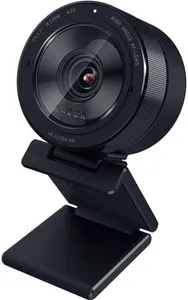
Razer Kiyo Pro Ultra 4K Webcam: Large Sensor - Auto Light Correction - Built-in Mic and Shutter - Pro Grade Content Creation, Streaming, Gaming, Video Calls - Works with OBS, Xsplit, PC, Zoom, Teams

The Razer Kiyo Pro Ultra 4K Webcam is a high-end option tailored for streaming, gaming, and professional content creation. With a 1/1.2″ Sony STARVIS 2 Sensor and a 2.9 μm pixel size, it delivers DSLR-like 4K quality, capturing exceptional detail and color. The custom F/1.7 Aperture Lens ensures clear and crisp images even in low-light conditions, making it ideal for varying lighting environments.

AI-powered video imaging helps with face tracking and auto exposure, keeping you well-lit and in focus without manual adjustments. The webcam also features HDR technology at 30 FPS, enhancing color accuracy and visual detail, which is great for vibrant and true-to-life streaming quality. Additionally, the built-in microphone provides convenience, although the audio quality might not match that of a dedicated external mic.

The camera’s ability to blur the background without software adds a professional touch to your streams. It’s compatible with popular software like OBS and Xsplit, as well as video conferencing platforms like Zoom and Teams, ensuring broad usability. However, it’s worth noting that its high-end features come at a premium price, and the webcam’s weight and dimensions might make it less portable. This webcam is best suited for serious streamers and content creators who demand high image quality and advanced features.

#2

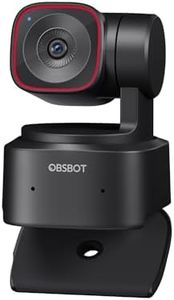
OBSBOT Tiny 2 Lite 4K Webcam for PC, AI Tracking PTZ Streaming Camera with 1/2" Sensor, Gesture Control, 60 FPS, HDR, Microphones, Web Camera for Desktop Computer, Laptop, Meeting, Video Calls, etc.

Rating
8.8
Resolution

Most important from
1777 reviews

Resolution
This webcam goes beyond typical expectations with its 4K resolution and versatile gimbal capabilities.

The OBSBOT Tiny 2 Lite 4K Webcam is designed with streaming in mind, making it a suitable choice for content creators and professionals involved in video calls and online meetings. With its impressive 4K resolution and 60 FPS frame rate, it ensures high-quality video output, which is essential for clear and engaging streams. The advanced PTZ (Pan-Tilt-Zoom) capabilities and multiple AI-tracking modes allow for personalized tracking, making it easier to keep subjects in focus while maintaining movement, which is particularly beneficial for dynamic presentations or streaming gameplay.

One of the standout features is its dynamic gesture control, which simplifies operation—allowing users to control zoom and tracking with hand gestures. This can be a game-changer for those who prefer a hands-free experience while streaming. Additionally, the webcam's multiple shooting modes provide versatile options for different environments and angles, catering to a range of content creation needs.

There are a few drawbacks to consider. The autofocus performance, while generally reliable, may have issues in extremely low-light conditions, which could impact video quality during evening streams. The microphone quality, while decent, might not match the clarity of dedicated external microphones, something to keep in mind for professional-level audio. Compatibility is another aspect; while it supports various platforms, users should check if it works seamlessly with their specific setup, especially if they are utilizing advanced features.

Rating
8.8
Resolution

Most important from
1777 reviews

Resolution
This webcam goes beyond typical expectations with its 4K resolution and versatile gimbal capabilities.
#3

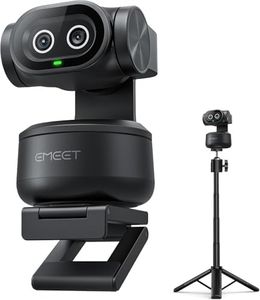
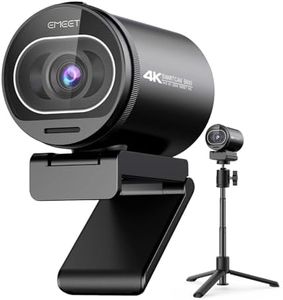
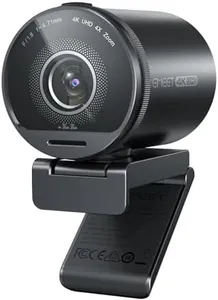
EMEET PIXY Dual-Camera AI-Powered PTZ Camera 4K with Tripod, AI Tracking, PDAF&AI Autofocus 0.2s, 1/2.55'' Sony Sensor, 3 Mics, Presets, 4K Webcam for Streaming, OBS/Twitch/Switch 2 Compatible

Rating
8.5
Resolution
Autofocus
Microphone Quality

Most important from
55 reviews

Resolution
The webcam delivers sharp and clear 4K image quality with natural colors and smooth autofocus even in average lighting conditions.
Autofocus
The webcam delivers sharp and clear 4K image quality with natural colors and smooth autofocus even in average lighting conditions.
Microphone Quality
The built-in microphones capture clear voice audio, significantly improving sound quality compared to typical laptop mics.
Mounting Options
Its compact and stylish design fits neatly on a desk without obstructing the screen, while the sturdy and versatile mounting stand supports various shooting angles.

The EMEET PIXY is a standout webcam designed specifically for streamers who want high-quality video and smart tracking features. Its 4K resolution combined with a 1/2.55" Sony sensor delivers sharp and clear images, which is excellent for detailed streaming like product demos or fitness sessions. The dual-camera system, including AI-powered autofocus that locks focus in just 0.2 seconds, ensures smooth and accurate tracking of your face and movements, even if you’re moving around a lot. This makes it especially useful for dynamic content creators. The PTZ feature (pan, tilt, zoom) with wide angles (up to 310° pan and 180° tilt) and gesture controls adds flexibility to framing your shot without needing to adjust the camera manually.

Note that the field of view adjustments are limited at higher frame rates or 4K resolution, which might restrict how much of your background can be seen during fast streaming. The camera's three built-in microphones offer versatile sound modes that can handle noisy environments or capture clear voice and ambient sound, reducing the need for external mics. The included adjustable tripod is stable and versatile, supporting various shooting positions and compatible with many cameras, which is a great plus.

One minor drawback is the reliance on a USB 2.0 connection, which may limit data transfer speeds compared to newer USB standards, though it should still work fine for streaming. Also, while the software offers useful presets and controls, some users might find setup and customization slightly complex at first. This webcam is well suited for streamers who want top-notch video quality, smooth AI tracking, and good audio versatility, especially if you move around during streams or need flexible mounting options.

Rating
8.5
Resolution
Autofocus
Microphone Quality

Most important from
55 reviews

Resolution
The webcam delivers sharp and clear 4K image quality with natural colors and smooth autofocus even in average lighting conditions.
Autofocus
The webcam delivers sharp and clear 4K image quality with natural colors and smooth autofocus even in average lighting conditions.
Microphone Quality
The built-in microphones capture clear voice audio, significantly improving sound quality compared to typical laptop mics.
Mounting Options
Its compact and stylish design fits neatly on a desk without obstructing the screen, while the sturdy and versatile mounting stand supports various shooting angles.

Buying Guide for the Best Webcams For Streaming

When choosing a webcam for streaming, it's important to consider several key specifications to ensure you get the best performance and quality for your needs. Streaming requires a webcam that can deliver clear, high-quality video and audio, as well as handle various lighting conditions and movements. Here are the key specs to look out for and how to choose the right one for you.
ResolutionResolution refers to the number of pixels that the webcam can capture, which directly affects the clarity and detail of the video. Higher resolution means better image quality. Common resolutions include 720p (HD), 1080p (Full HD), and 4K (Ultra HD). For most streamers, 1080p is a good balance between quality and performance, providing clear and detailed video without requiring too much bandwidth. If you want the highest quality and have the necessary internet speed and computer power, a 4K webcam might be worth considering.
Frame RateFrame rate, measured in frames per second (fps), determines how smooth the video appears. A higher frame rate results in smoother motion. Standard frame rates for webcams are 30fps and 60fps. For most streaming purposes, 30fps is sufficient and provides a good balance of smoothness and bandwidth usage. However, if you plan to stream fast-paced content like gaming, a 60fps webcam can offer a smoother and more professional-looking stream.
Field of View (FOV)Field of View (FOV) is the extent of the observable area that the webcam can capture. It is measured in degrees. A wider FOV can capture more of the background and is useful if you want to show more of your surroundings or if multiple people will be on camera. Typical FOV ranges from 60 to 90 degrees. For solo streamers, a narrower FOV (around 70 degrees) is usually sufficient, while a wider FOV (80-90 degrees) is better for group settings or showing more of your environment.
Low Light PerformanceLow light performance indicates how well the webcam can capture clear video in dim lighting conditions. This is important if you stream in a room with poor lighting or prefer a darker ambiance. Look for webcams with features like low-light correction or HDR (High Dynamic Range) to ensure good video quality in various lighting conditions. If you often stream in low light, prioritize webcams with strong low-light performance to avoid grainy or dark video.
AutofocusAutofocus ensures that the webcam can automatically adjust the focus to keep the subject sharp and clear, even if you move around. This is particularly useful for streamers who are active or move closer and farther from the camera. There are two types of autofocus: fixed and continuous. Continuous autofocus is more advanced and can adjust focus in real-time, which is ideal for dynamic streaming environments. If you tend to stay in one place, fixed focus might be sufficient, but for more movement, continuous autofocus is recommended.
Microphone QualityMicrophone quality is crucial for clear audio during your streams. Many webcams come with built-in microphones, but their quality can vary. Look for webcams with stereo or dual microphones for better sound capture and noise reduction features to minimize background noise. If audio quality is a top priority, you might also consider using a separate dedicated microphone. For casual streaming, a good built-in microphone can suffice, but for professional-quality audio, investing in a high-quality external microphone is advisable.
Mounting OptionsMounting options refer to how the webcam can be positioned and secured. Common mounting options include clips for attaching to a monitor or laptop, tripods, and flexible stands. Consider how and where you plan to use the webcam. If you need flexibility in positioning, look for webcams with versatile mounting options. For a stable and fixed setup, a clip-on webcam might be sufficient. If you need to move the webcam around or adjust angles frequently, a tripod or flexible stand can provide more versatility.

FAQ