We Use CookiesWe use cookies to enhance the security, performance, functionality and for analytical and promotional activities. By continuing to browse this site you are agreeing to our privacy policy

10 Best Wifi 6 Routers 2026 in the United States
How do we rank products for you?

Our technology thoroughly searches through the online shopping world, reviewing hundreds of sites. We then process and analyze this information, updating in real-time to bring you the latest top-rated products. This way, you always get the best and most current options available.

headphones-stars

Our Top Picks

#1

Winner

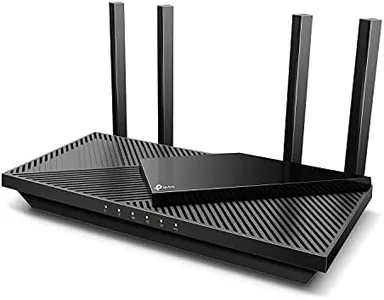
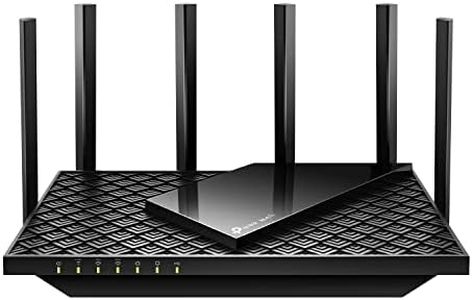
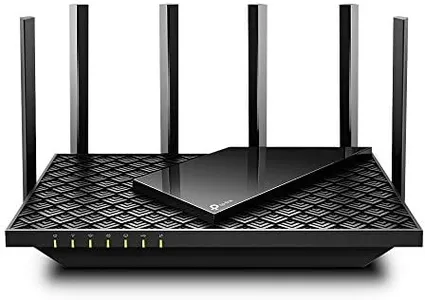
TP-Link AX5400 WiFi 6 Router (Archer AX73)- Dual Band Gigabit Wireless Internet Router for Streaming, Long Range Coverage

Rating
10.0
Chosen by1,231
Speed
Coverage
MU-MIMO and OFDMA

Most important from
8538 reviews

Speed
Achieves impressive speeds for bandwidth-demanding tasks like 8K streaming and large file transfers.
Coverage
The range is superb, covering a two-floor apartment easily.
MU-MIMO and OFDMA
Handles over 20 devices without any disconnections or performance issues.
Security Features
Parental controls are a real plus, allowing easy management of internet access for children.
Ports and Connectivity
USB 3.0 port supports Apple’s Time Machine and other storage devices for additional functionality.
Ease of Setup and Management
Setup is straightforward and can be done in minutes via the app or web interface.

The TP-Link AX5400 WiFi 6 Router (Archer AX73) is a robust choice for high-speed internet users, particularly those who enjoy streaming, gaming, and downloading. It offers impressive speeds of up to 5400 Mbps, making it suitable for activities like 8K streaming. The router operates on dual bands, which helps in reducing congestion and improving connection stability. With features like MU-MIMO and OFDMA, it ensures multiple devices can connect without slowing down your network.

Coverage is extensive, thanks to six antennas and beamforming technology that focus the signal strength towards your devices, even in larger homes. The improved vent design helps in managing heat, ensuring the router performs optimally. There’s also a USB 3.0 port, which allows for easy media sharing and creating private cloud storage. Security is a priority with TP-Link HomeShield, offering basic network security, parental controls, and quality of service. However, advanced security features may require additional subscription.

Setup and management are streamlined, making it user-friendly even for those who aren't tech experts. Compatibility with most internet service providers is an added convenience. One potential downside is that while it covers a broad area, users with extremely large homes might still need range extenders. All in all, the TP-Link AX5400 is a solid investment for home users looking for fast, reliable, and secure Wi-Fi.

Rating
10.0
Chosen by1,231
Speed
Coverage
MU-MIMO and OFDMA

Most important from
8538 reviews

Speed
Achieves impressive speeds for bandwidth-demanding tasks like 8K streaming and large file transfers.
Coverage
The range is superb, covering a two-floor apartment easily.
MU-MIMO and OFDMA
Handles over 20 devices without any disconnections or performance issues.
Security Features
Parental controls are a real plus, allowing easy management of internet access for children.
Ports and Connectivity
USB 3.0 port supports Apple’s Time Machine and other storage devices for additional functionality.
Ease of Setup and Management
Setup is straightforward and can be done in minutes via the app or web interface.
#2

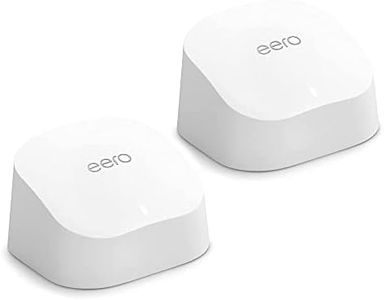
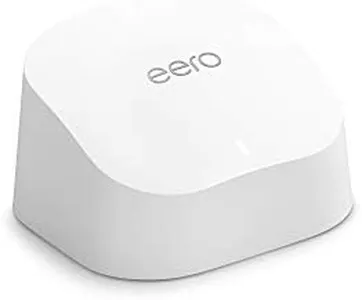
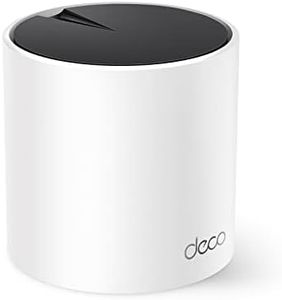
TP-Link Deco X55 AX3000 WiFi 6 Mesh System - Covers up to 2500 Sq.Ft., Replaces Wireless Router and Extender, 3 Gigabit Ports, Supports Ethernet Backhaul, Deco X55(1-Pack)

Rating
8.8
Speed
Coverage
Number of Bands

Most important from
16848 reviews

Speed
Significant speed improvements mean no more buffering during streaming or cutouts during video calls, even with multiple devices connected.
Coverage
WiFi now reaches the entire 2,500 sq. ft. area without any issues — and even a bit beyond that, effectively eliminating dead zones.
Number of Bands
The system automatically manages the best band for each device, seamlessly switching between 2.4 GHz and 5 GHz to maintain a stable connection.
Ports and Connectivity
Wired backhaul with 2.5G ports adds a valuable option for stable, high-speed connections to devices like gaming consoles and smart TVs.
Ease of Use and Management
Setup was incredibly easy, with the app guiding through every step to have everything running in under 10 minutes.

The TP-Link Deco X55 AX3000 is a solid choice for anyone wanting to improve home WiFi with the latest WiFi 6 technology. It offers decent speed with AX3000-class performance (up to 2402 Mbps on the 5 GHz band and 574 Mbps on 2.4 GHz), suitable for streaming and gaming on multiple devices. Coverage is good for a single unit—up to 2,500 square feet—and it can be expanded by adding more Deco units, making it flexible for medium-sized homes. Being a dual-band router, it supports essential WiFi 6 features like MU-MIMO and OFDMA which help multiple devices communicate efficiently at once, reducing buffering and lag.

The Deco X55 also provides three Gigabit Ethernet ports per unit and supports wired backhaul, which is great for stable connections to devices like smart TVs or gaming consoles. Security is a strong point here; TP-Link includes advanced features through its HomeShield service and adheres to cybersecurity best practices, offering peace of mind for protecting your network and connected devices. Setup and management are user-friendly thanks to the intuitive Deco app that guides you through installation and lets you control settings remotely.

As a single-pack unit, it may not cover larger homes fully without purchasing additional units. Also, being dual-band rather than tri-band means it might face more congestion in busy networks compared to some higher-end mesh systems. For those seeking a straightforward, secure, and scalable WiFi 6 mesh solution for everyday home use, the TP-Link Deco X55 handles the essentials effectively without unnecessary complexity.

Rating
8.8
Speed
Coverage
Number of Bands

Most important from
16848 reviews

Speed
Significant speed improvements mean no more buffering during streaming or cutouts during video calls, even with multiple devices connected.
Coverage
WiFi now reaches the entire 2,500 sq. ft. area without any issues — and even a bit beyond that, effectively eliminating dead zones.
Number of Bands
The system automatically manages the best band for each device, seamlessly switching between 2.4 GHz and 5 GHz to maintain a stable connection.
Ports and Connectivity
Wired backhaul with 2.5G ports adds a valuable option for stable, high-speed connections to devices like gaming consoles and smart TVs.
Ease of Use and Management
Setup was incredibly easy, with the app guiding through every step to have everything running in under 10 minutes.
#3

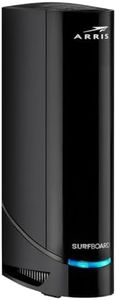
Arris (G20) - Cable Modem Router Combo - Fast DOCSIS 3.1 Multi-Gigabit WiFi 6 (AX3000), Approved for Comcast Xfinity, Cox, Spectrum & More, 1.0 Gbps Max Speeds, Next-Generation Upload Optimized

Rating
7.9
Speed
Coverage
Ports and Connectivity

Most important from
164 reviews

Speed
The modem delivers fast, stable internet speeds with DOCSIS 3.1 technology, making it a reliable choice for streaming, gaming, and everyday use.
Coverage
Signal strength and network performance remain strong even in rural locations, maintaining connections without drops across multiple devices.
Ports and Connectivity
The dual Gigabit Ethernet ports support faster-than-1Gbps speeds when the provider allows, enhancing wired connectivity options.
Ease of Use and Management
Setup is straightforward and seamless, especially when pairing with Xfinity through their app, requiring no additional support calls.

The ARRIS G20 is a solid choice if you're looking for a combo device that functions both as a cable modem and a WiFi 6 router. Thanks to its DOCSIS 3.1 modem, it supports fast internet speeds up to 1 Gbps, which suits most home users who stream, game, and browse regularly. The dual-band WiFi 6 technology offers good coverage and better wireless performance than older models, helping with multiple devices like smartphones, gaming consoles, and smart TVs. Support for major internet providers such as Xfinity, Spectrum, and Cox makes it convenient for many households. It also helps you save money on rental fees by owning your modem.

The device provides wide coverage that works well for typical homes, though very large homes might require additional network equipment. Setup and management are fairly easy, especially if your ISP supports it. Security features have been improved to help protect your network, but it is always advisable to configure additional settings as needed for enhanced protection.

The ARRIS G20 serves as a dependable option for everyday use, offering good speed and compatibility. If you have a large home or many devices, it is worth verifying that its wireless range and capabilities align with your specific requirements.

Rating
7.9
Speed
Coverage
Ports and Connectivity

Most important from
164 reviews

Speed
The modem delivers fast, stable internet speeds with DOCSIS 3.1 technology, making it a reliable choice for streaming, gaming, and everyday use.
Coverage
Signal strength and network performance remain strong even in rural locations, maintaining connections without drops across multiple devices.
Ports and Connectivity
The dual Gigabit Ethernet ports support faster-than-1Gbps speeds when the provider allows, enhancing wired connectivity options.
Ease of Use and Management
Setup is straightforward and seamless, especially when pairing with Xfinity through their app, requiring no additional support calls.

Buying Guide for the Best Wifi 6 Routers

Choosing the right WiFi 6 router can significantly improve your internet experience by providing faster speeds, better coverage, and the ability to handle more devices simultaneously. To make an informed decision, it's important to understand the key specifications and how they relate to your specific needs. Here are the main specs to consider when selecting a WiFi 6 router.
SpeedSpeed is a crucial factor as it determines how fast your internet connection will be. WiFi 6 routers offer higher speeds compared to previous generations. Speed is usually measured in Mbps (megabits per second) or Gbps (gigabits per second). For basic browsing and streaming, a router with speeds up to 1 Gbps is sufficient. For gaming, 4K streaming, or a smart home with many devices, look for speeds of 2 Gbps or higher. Your internet plan should also support these speeds to fully benefit from the router's capabilities.
CoverageCoverage refers to the area that the router can effectively provide a strong WiFi signal. This is important to ensure that all parts of your home or office have a reliable connection. Coverage is typically measured in square feet. For small apartments or single rooms, a router with coverage up to 1,500 square feet is adequate. For medium-sized homes, look for coverage between 1,500 to 3,000 square feet. For large homes or multi-story buildings, consider routers with coverage over 3,000 square feet or mesh systems that can extend the range.
Number of BandsWiFi 6 routers come with either dual-band or tri-band options. Dual-band routers operate on two frequencies (2.4 GHz and 5 GHz), while tri-band routers add an additional 5 GHz band. The number of bands affects how well the router can handle multiple devices and reduce interference. For general use with a few devices, a dual-band router is sufficient. For homes with many devices, heavy streaming, or gaming, a tri-band router can provide better performance and less congestion.
MU-MIMO and OFDMAMU-MIMO (Multi-User, Multiple Input, Multiple Output) and OFDMA (Orthogonal Frequency Division Multiple Access) are technologies that improve the efficiency and capacity of your WiFi network. MU-MIMO allows the router to communicate with multiple devices simultaneously, while OFDMA divides channels into smaller sub-channels to serve multiple devices at once. These features are particularly important in households with many connected devices, ensuring smoother and faster connections for everyone.
Security FeaturesSecurity is essential to protect your network from unauthorized access and cyber threats. Look for routers that support the latest security protocols, such as WPA3, which offers enhanced protection compared to older standards. Additional features like built-in firewalls, automatic firmware updates, and parental controls can provide extra layers of security and peace of mind. Choose a router with robust security features if you have sensitive data or children using the internet.
Ports and ConnectivityThe number and type of ports on a router determine how many wired devices you can connect. Common ports include Ethernet ports for wired connections and USB ports for connecting storage devices or printers. If you have multiple devices that require a wired connection, such as gaming consoles or desktop computers, ensure the router has enough Ethernet ports. USB ports can be useful for sharing files or printers across your network. Consider your specific connectivity needs when evaluating this spec.
Ease of Use and ManagementA user-friendly interface and easy management options can make setting up and maintaining your router much simpler. Look for routers with intuitive mobile apps or web interfaces that allow you to monitor and control your network easily. Features like guest networks, device prioritization, and easy firmware updates can enhance your experience. If you're not tech-savvy, prioritize routers known for their ease of use and comprehensive support.

FAQ