We Use CookiesWe use cookies to enhance the security, performance, functionality and for analytical and promotional activities. By continuing to browse this site you are agreeing to our privacy policy

10 Best Cheap Laser Printers 2026 in the United States
How do we rank products for you?

Our technology thoroughly searches through the online shopping world, reviewing hundreds of sites. We then process and analyze this information, updating in real-time to bring you the latest top-rated products. This way, you always get the best and most current options available.

headphones-stars

Our Top Picks

#1

Winner

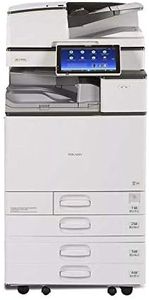
Ricoh Aficio MP C4504 A3 Color Laser Multifunction Copier - 45ppm, Copy, Fax, Print, Scan, Auto Duplex, Network, WIFI, 4 Trays and Comes with Pre-Installed Postscript 3 Supplement (Renewed)

Rating
10.0
Chosen by1,360
Additional Features

Most important from
10 reviews

Additional Features
Offers excellent value for the price, delivering solid performance once fully equipped.

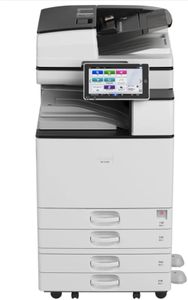
The Ricoh Aficio MP C4504 is a color laser multifunction printer designed with office use in mind, offering fast printing speeds of up to 45 pages per minute in both color and black & white. Its print quality is solid, with sharp 1200 x 1200 dpi resolution that produces clear text and vibrant images, suitable for professional documents and presentations. The automatic duplex feature allows easy double-sided printing, saving paper and time.

This model supports a large paper capacity with four trays holding up to 4,700 sheets, which is great for high-volume printing without frequent refills. Connectivity options are modern and flexible, including built-in Wi-Fi and USB ports, making it easier to connect with multiple devices and work remotely. The 10.1-inch smart operation panel adds user-friendly navigation for copying, scanning, and faxing tasks.

On the downside, this printer is a renewed (refurbished) product with only a 90-day warranty, which might concern some buyers looking for longer support. Its size and complexity may be more than needed for casual home use but fits well in busy small to medium offices that need color printing and multifunction capabilities at a reasonable price. For robust, versatile printing with decent speed, quality, and connectivity for office tasks, this Ricoh model represents a strong option to consider.

Rating
10.0
Chosen by1,360
Additional Features

Most important from
10 reviews

Additional Features
Offers excellent value for the price, delivering solid performance once fully equipped.
#2

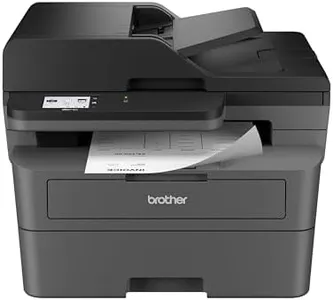
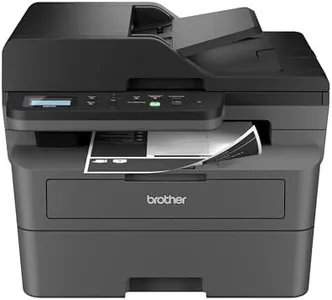
Brother DCP-L2640DW Wireless Compact Monochrome Multi-Function Laser Printer with Copy and Scan, Duplex, Mobile, Black & White | Includes Refresh Subscription Trial(1), Works with Alexa

Rating
7.9
Print Speed
Print Quality
Connectivity Options

Most important from
3546 reviews

Print Speed
This printer is fast, quiet, and reliable, making it perfect for non-tech savvy users.
Print Quality
Print quality is impressive with crisp, clear output much better than any ink printer I've used before.
Connectivity Options
The printer operates trouble-free with flawless Wi-Fi communication and easy setup.
Paper Handling
It handles various tasks like printing return labels, PDF forms, and photocopying IDs with ease and precision.
Toner Cartridge Yield
The Brother DCP-L2640DW prints for years with the original cartridge, minimizing the need for frequent replacements.
Additional Features
Setup is a breeze, even for those who are not familiar with technology, thanks to its plug-and-play nature.

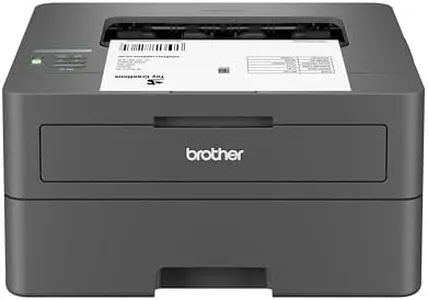
The Brother DCP-L2640DW is a compact monochrome laser printer that shines for small businesses and home offices. With its print speed of up to 36 pages per minute, it delivers efficiency, making it perfect for users who need to produce documents quickly. The print quality is also commendable, with a maximum resolution of 1200 x 1200 DPI, providing sharp and clear text. Additionally, the built-in automatic duplex printing feature helps save paper, which is a significant advantage for eco-conscious users.

This printer is versatile with multi-function capabilities, allowing users to print, scan, and copy all from one device. The convenience of a 50-page automatic document feeder enhances productivity by facilitating quick multi-page scans and copies.

Connectivity options are robust, including dual-band wireless, Ethernet, and USB, catering to various network environments. The Brother Mobile Connect App is a great added feature, allowing remote management of printing tasks directly from smartphones, which is handy for on-the-go printing and monitoring toner levels. While the Brother DCP-L2640DW excels in black-and-white printing, it lacks color printing capabilities, which may not suit users needing vibrant color documents. Additionally, the initial cost of toner replacements can be high if users opt not to use the recommended Brother Genuine Toner. Although the Refresh subscription service is a great way to save on toner costs, some may prefer a printer with more economical toner options.

Rating
7.9
Print Speed
Print Quality
Connectivity Options

Most important from
3546 reviews

Print Speed
This printer is fast, quiet, and reliable, making it perfect for non-tech savvy users.
Print Quality
Print quality is impressive with crisp, clear output much better than any ink printer I've used before.
Connectivity Options
The printer operates trouble-free with flawless Wi-Fi communication and easy setup.
Paper Handling
It handles various tasks like printing return labels, PDF forms, and photocopying IDs with ease and precision.
Toner Cartridge Yield
The Brother DCP-L2640DW prints for years with the original cartridge, minimizing the need for frequent replacements.
Additional Features
Setup is a breeze, even for those who are not familiar with technology, thanks to its plug-and-play nature.
#3

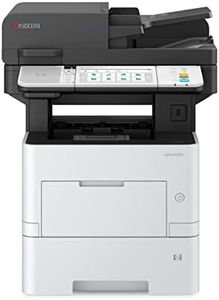
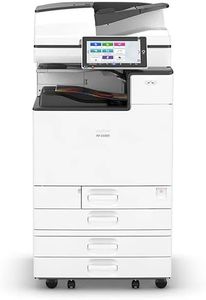
KYOCERA ECOSYS MA5500ifx All-in-One Monochrome Laser Printer, 57 ppm

Rating
7.6
Print Speed
Connectivity Options

Most important from
8 reviews

Print Speed
Delivers fast, reliable black-and-white printing that perfectly suits small business needs.
Connectivity Options
Setup is straightforward and works well in networked environments, though WiFi connectivity is only available as an optional add-on.

The KYOCERA ECOSYS MA5500ifx is a monochrome all-in-one laser printer that suits users needing fast, reliable black-and-white printing without a high price tag. It delivers an impressive print speed of up to 57 pages per minute, which is excellent for busy offices or workgroups. The print quality is solid, providing sharp output at up to 1200 x 1200 dpi, making text and simple graphics clear and professional. With a large paper input capacity of around 600 sheets, it can handle heavy workloads without frequent refills. Connectivity options include Gigabit Ethernet, USB, and support for SDHC cards, allowing flexible setups in both wired network environments and direct connections.

The 7-inch color touchscreen makes navigating the scanning, copying, and faxing functions straightforward. Duplex printing is supported, though it defaults to simplex, so double-sided jobs may require extra setup. The printer is on the heavier side and occupies considerable space, which could be a drawback for small desks. Enhanced security features are available as options, adding peace of mind for sensitive documents.

If you need a budget-friendly, fast, and multifunctional laser printer primarily for black-and-white documents in a moderate to high-volume setting, this model fits well. Just ensure you have adequate space and consider running costs to maintain low expenses.

Rating
7.6
Print Speed
Connectivity Options

Most important from
8 reviews

Print Speed
Delivers fast, reliable black-and-white printing that perfectly suits small business needs.
Connectivity Options
Setup is straightforward and works well in networked environments, though WiFi connectivity is only available as an optional add-on.

Buying Guide for the Best Cheap Laser Printers

Choosing the right laser printer involves understanding your specific needs and matching them with the printer's features. Laser printers are known for their speed, precision, and efficiency, making them ideal for both home and office use. When selecting a laser printer, consider the following key specifications to ensure you get the best fit for your requirements.
Print SpeedPrint speed, measured in pages per minute (PPM), indicates how quickly a printer can produce documents. This is important if you need to print large volumes of documents regularly. Printers with speeds of 20-30 PPM are suitable for home use or small offices, while speeds above 30 PPM are better for larger offices with higher print demands. Consider your typical print volume to determine the right speed for you.
Print QualityPrint quality is measured in dots per inch (DPI) and determines the clarity and detail of the printed documents. Higher DPI values (1200 DPI and above) are ideal for printing detailed graphics and professional documents, while lower DPI values (600 DPI) are sufficient for standard text documents. Choose a printer with a DPI that matches the type of documents you print most frequently.
Duty CycleThe duty cycle is the maximum number of pages a printer can produce in a month without experiencing wear and tear. This is crucial for understanding the printer's durability and suitability for your printing needs. For home use or small offices, a duty cycle of up to 10,000 pages per month is usually sufficient. For larger offices, look for printers with higher duty cycles to ensure longevity and reliability.
Connectivity OptionsConnectivity options determine how you can connect your devices to the printer. Common options include USB, Ethernet, and Wi-Fi. USB connections are straightforward and reliable for single-device use, Ethernet is ideal for networked office environments, and Wi-Fi allows for wireless printing from multiple devices. Consider your setup and how you prefer to connect your devices when choosing a printer.
Paper HandlingPaper handling refers to the types and sizes of paper a printer can accommodate, as well as the capacity of its paper trays. If you print on various paper sizes or types (like envelopes or cardstock), ensure the printer supports them. Additionally, a larger paper tray capacity (250 sheets or more) reduces the frequency of refilling, which is beneficial for high-volume printing. Match the printer's paper handling capabilities with your typical printing tasks.
Toner Cartridge YieldToner cartridge yield indicates the number of pages a cartridge can print before needing replacement. This is important for understanding the ongoing costs and maintenance of the printer. High-yield cartridges (2000 pages or more) are more cost-effective for frequent printing, while standard-yield cartridges (around 1000 pages) may be sufficient for occasional use. Consider your printing frequency to choose the right cartridge yield.
Additional FeaturesAdditional features such as duplex printing (automatic double-sided printing), scanning, copying, and faxing can enhance the functionality of your printer. Duplex printing saves paper and is useful for creating professional documents, while multifunction capabilities (scanning, copying, faxing) are beneficial for office environments. Determine which additional features are essential for your needs to select the most suitable printer.

FAQ